
Compare the finished analysis before you choose a platform
See the report CodePulse produces from read-only GitHub workflow data, or connect your own repositories and evaluate the fit with real evidence.
Read-only GitHub · Your code stays yours · Team-level by default · No credit card
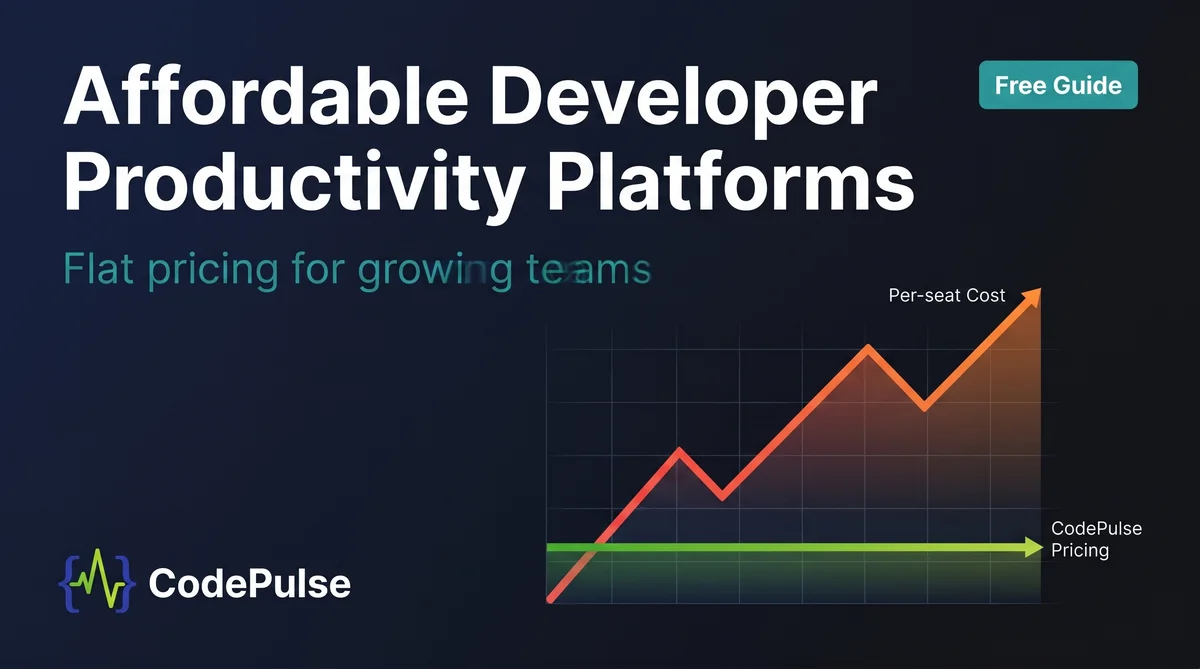
A growing team does not need the most expensive engineering analytics platform. It needs the one that gives real visibility into cycle time and review bottlenecks without a bill that triples every time you hire. The catch is that the most common pricing model in SaaS, per-seat billing, punishes exactly the growth you are trying to support. CodePulse uses flat tier-based pricing instead, so a 20-person team and a 200-person team pay the same.
What are the most affordable developer productivity platforms for growing teams?
For teams of 10 to 100 engineers watching budget, the most affordable options are CodePulse (flat tier-based pricing, free tier, paid from $1,788/year in flat developer bands), Swarmia (free up to 9 developers, then per-seat), and LinearB (free up to 10 developers, then per-seat). Per-seat platforms look cheap at 10 engineers but become a major line item by 50: at $30 to $50 per developer per month, a 100-engineer team pays $36,000 to $60,000 a year. The single biggest lever on cost is the pricing model, not the feature list. Flat pricing stays predictable as you grow; per-seat does not.
Per-seat pricing is still the most common SaaS model, but its share is falling: it dropped from 64% of companies in 2024 to 57% in 2025, with a median price of $45 per user per month across segments, according to a 2025 benchmark study of 100+ SaaS companies. That model made sense when value scaled with the number of users. For engineering analytics, it does not: the people reading the dashboards are a handful of managers and executives, but the invoice covers every developer on the team.
This guide is about the affordable end of the market: what to look for on a budget, how to run a five-minute cost test before any sales call, and why the pricing model deserves as much scrutiny as the feature list. If your question is instead whether a tool survives past 500 engineers, read our scalable developer productivity software guide. For an overall ranked list across all sizes, see the best developer productivity platforms.
Per-seat pricing for engineering analytics charges you for everyone who codes, to serve a dashboard that a handful of people read. You are billed for headcount and sold visibility.
What Makes a Developer Productivity Platform Affordable?
Affordable is not the same as cheap. A free tool that takes six months to integrate and nobody trusts is expensive in every way that matters. Affordability for a growing team comes down to four things, and sticker price is only one of them.
- Total cost at 2x your headcount. The number that matters is not what you pay today, it is what you pay after a year of hiring. Per-seat tools answer this question with a straight line going up.
- Time to first value. A $10-per-seat tool with a six-month rollout can cost more than a $40-per-seat tool live in two weeks, per the CNCF guide on measuring developer-tool ROI. Implementation labor is real money.
- A free tier or self-serve trial. You should see your own data before you pay anyone. Tools that hide everything behind a sales call cost you weeks of evaluation time before you learn whether they fit.
- A pricing model that does not penalize growth. Flat or tier-based pricing keeps the bill predictable. Per-seat pricing makes every hire a budget event.
Notice what is missing from that list: the longest feature catalog. The expensive parts of enterprise platforms, portfolio forecasting, R&D capitalization, and HR-system integrations, are machinery a 50-engineer team will not touch for years. Paying for them now is paying for a problem you do not have yet.
* Our Take
Per-seat pricing for engineering analytics is a tax on hiring. You are charged for every developer, but the value goes to the handful of managers and execs who actually read the dashboards. The model rewards staying small and penalizes the exact growth you bought the tool to support.
We picked flat tier-based pricing on purpose. A 20-engineer team and a 200-engineer team pay the same for CodePulse, because the cost of serving a dashboard does not scale with your headcount and your bill should not either. Per-seat works for tools every employee opens daily, like Slack. It is the wrong model for analytics that a few people consume on behalf of the team.
How Do You Run a Five-Minute Cost Test Before Any Sales Call?
You do not need a procurement spreadsheet to filter the shortlist. The CNCF cost-based method gives a back-of-the-envelope answer in minutes. Estimate the developer time the tool saves, convert it to money, and compare against the all-in cost. If the math only works under optimistic assumptions, that is a red flag. If it works with conservative numbers, you have a case before you look at anything else.
Work it the other way for a budget filter. Take your fully loaded engineer cost, roughly $150,000 a year per the same CNCF analysis. A tool that recovers even 30 minutes per engineer per day is worth about $700 per developer per month. Now compare that against the sticker price plus the hidden costs below.
Annual cost = (per-seat price x 12 x headcount)   # per-seat tools
            OR
            = flat tier price                       # flat tools

True cost  = annual cost
           + implementation labor (weeks x loaded cost)
           + integration + maintenance overhead
           + cost of low adoption (licenses nobody opens)

Decision   = recovered time value  >  true cost ?
Three costs that wreck a budget if you ignore them, all flagged in the CNCF guidance: implementation labor before anyone sees a dashboard, maintenance and integration overhead, and the cost of low adoption, the licenses nobody opens. Per-seat tools quietly compound the last one: you pay for every developer, but only a few ever log in.
A tool with useful features and a pricing structure that punishes growth is a worse long-term bet than a slightly simpler tool with predictable costs.
* Model It Before You Commit
Build the cost at your current size, at double your size, and at your three-year target. That exercise tends to change the shortlist. To skip the spreadsheet, our engineering analytics pricing calculator compares annual cost and three-year total across per-seat and flat-rate tools on your own headcount assumptions.
Why Does Flat Pricing Win for Growing Teams?
Per-seat pricing has one real advantage: it is predictable in the wrong direction. You know the bill will rise, you just do not know how fast you will hire. For a team that plans to grow, that is a structural problem. Costs scale linearly with headcount while the value plateaus once a few people are reading the dashboards.
The math is not subtle. A 100-engineer team at $30 per seat per month pays $36,000 a year. The same product at 400 engineers costs $144,000 a year, four times the price for the same dashboards. The industry is moving away from the model for this reason: as one analysis put it, seat pricing assumes more humans doing more work, an assumption AI coding tools are actively breaking (MindStudio, 2025).
| Team size | Per-seat at $30/dev/mo | Per-seat at $45/dev/mo (median) | Flat tier-based (CodePulse) |
|---|---|---|---|
| 10 engineers | $3,600/yr | $5,400/yr | Free tier / from $1,788/yr |
| 25 engineers | $9,000/yr | $13,500/yr | $1,788–$4,188/yr |
| 50 engineers | $18,000/yr | $27,000/yr | $1,788–$4,188/yr |
| 100 engineers | $36,000/yr | $54,000/yr | $1,788–$4,188/yr |
Per-seat figures are illustrative, using the 2025 median of $45/user/month and a common $30/user/month tier. Actual vendor pricing varies; verify with each provider. CodePulse figures are its published Pro and Business annual tiers, billed flat within each developer band.
For a 10-engineer team, a cheap per-seat tier and a free flat tier are close enough that features should decide it. The gap opens at 25 engineers and becomes the whole conversation by 100. That is why the pricing model, not the feature comparison, is the first filter for a team that intends to grow.
Which Platforms Are Actually Affordable for 10 to 100 Engineers?
Three platforms keep costs reasonable at the small-team end, each with a different catch. Pricing below is from published vendor pages and the 2025 benchmark; confirm before you buy.
CodePulse (flat tier-based)
Free tier for small teams, then flat annual pricing that does not change with headcount: Pro at $1,788/year and Business at $4,188/year, billed per organization rather than per seat. GitHub-native depth, 15-minute data sync, and a five-minute self-serve setup. The trade-off is scope: GitHub-first, no delivery forecasting, no R&D capitalization. For a growing team that lives in GitHub, those are features you do not need yet.
Swarmia (free tier, then per-seat)
Free for up to 9 developers, which covers a seed-stage team. Above that it is per-developer, so the cost-at-scale problem returns once you cross the free cap. Clean interface and developer-experience surveys are the draw. Read our Swarmia alternatives guide for the full picture.
LinearB (free tier, then per-seat)
Free for up to 10 developers, with paid tiers billed per developer above that. Adds gitStream workflow automation, which is genuinely useful, but the per-seat model means the bill climbs as you grow. See our LinearB alternatives guide.
The pattern is clear. Free tiers from per-seat vendors are a great way to start, but they are an on-ramp to a model that gets expensive the moment you outgrow the cap. A flat tier-based platform stays flat through that transition.
* How to See This in CodePulse
A growing team gets the most value from two views first. Navigate to the dashboard and the executive summary:
- The dashboard breaks cycle time into coding, waiting, review, and merge phases
- The executive summary rolls it into a single health grade for board updates
- Both update on a 15-minute sync, so you act on this morning, not yesterday
- Setup is self-serve: install the GitHub App, pick repos, see data in five minutes
What Mistakes Do Budget-Conscious Teams Make?
Most budget regret comes from optimizing the wrong line. Four patterns show up repeatedly.
- Buying for a headcount you do not have. Enterprise platforms sell portfolio rollups and forecasting that a 40-engineer team will not use. You pay for the machinery and ignore most of it.
- Ignoring implementation labor. The sticker price is rarely the real price. A multi-week rollout with data engineering before the first dashboard is a cost, even when the license looks cheap.
- Treating a free tier as a destination. Free tiers cap engineers. The plan for what happens when you cross the cap is the real decision, and per-seat upgrades are where the budget surprise lives.
- Skipping the baseline. You cannot prove a tool improved cycle time if you never measured cycle time before buying it. Establish a baseline first, then watch it move.
The cheapest analytics tool is the one your team opens every morning. A free tier nobody adopts costs more than a flat-rate tool that becomes a daily habit.
For teams figuring out when to start measuring at all, our engineering analytics for startups guide covers which metrics matter at seed, Series A, and beyond, and which to skip until you are bigger.
How Do You Choose Without Overpaying?
Match the tool to your situation, then check the pricing model holds at double your size.
| Your situation | Best fit |
|---|---|
| GitHub team, 10–100 engineers, want predictable cost as you hire | CodePulse (flat tier-based) |
| Under 9 developers, want a free start with DevEx surveys | Swarmia free tier |
| Under 10 developers, want free DORA plus workflow automation | LinearB free tier |
| Want to model costs across tools before deciding | Pricing comparison calculator |
| 500+ engineers, need portfolio rollups and enterprise modeling | See scalable platforms |
Run the cost test, demand the 2x-headcount figure in writing, and start a free trial before any sales call. For a growing GitHub team, you can start a free CodePulse trial and see real data from your repositories in five minutes, with a bill that stays flat as you scale.
Frequently Asked Questions
An affordable developer productivity platform gives a 10 to 100 engineer team visibility into cycle time, review bottlenecks, and code health without a per-seat bill that grows every time you hire. Tools with flat or tier-based pricing (CodePulse, and free tiers from Swarmia and LinearB for small teams) cost a few thousand dollars a year, while per-seat platforms can reach $30 to $50 per developer per month, which is $36,000 to $60,000 a year for 100 engineers.
Related Guides
- Best Developer Productivity Platforms (Ranked) – The full ranked list across every team size
- Scalable Developer Productivity Software – Which platforms survive past 500 engineers without breaking budgets
- Engineering Analytics for Startups – When to start measuring and which metrics matter at each stage

Evaluate CodePulse against your own delivery history
A comparison table only goes so far. Connect read-only GitHub in about five minutes and judge the output on your repositories, at one flat price, with no per-seat math.
Read-only GitHub · Your code stays yours · Team-level by default · No credit card
See These Features in Action
Board-ready engineering performance in a single page.
Break down cycle time into coding, waiting, review, and merge phases.
Related Guides
Best Developer Productivity Platforms for 2026 (Ranked)
We ranked 9 developer productivity platforms across analytics, DX surveys, internal portals, and workflow automation. Honest positioning, real pricing, and a decision matrix to match the right tool to your problem.
Scalable Developer Productivity Software (2026)
Which developer productivity platforms scale to 500+ engineers without breaking budgets. Data limits, org modeling, and pricing-at-scale compared across 9 platforms.
Engineering Analytics for Startups: When to Start Measuring
Startups need engineering visibility earlier than you think. Learn which metrics matter at each stage and how to scale your analytics as you grow.
Jellyfish vs LinearB vs Swarmia: Full 2026 Comparison
Compare Jellyfish, LinearB, Swarmia, Allstacks, Haystack and more engineering analytics tools. Features, pricing, cycle time benchmarks, and integrations.