
Compare the finished analysis before you choose a platform
See the report CodePulse produces from read-only GitHub workflow data, or connect your own repositories and evaluate the fit with real evidence.
Read-only GitHub · Your code stays yours · Team-level by default · No credit card
You're searching for a "LinearB alternative," which means something isn't working. Maybe it's the data accuracy issues that erode trust with your team. Maybe it's the $30+/dev/month price tag for features you're not using. Or maybe the dashboard overload is creating more noise than signal. This guide won't pretend CodePulse is universally better. Instead, we'll help you figure out which tool makes the right trade-offs for your situation.
Comparing CodePulse and LinearB head-to-head? See the full side-by-side comparison - pricing math, free tiers, and when each tool wins.
What are the best LinearB alternatives?
The top LinearB alternatives are CodePulse, Swarmia, Jellyfish, Sleuth, and Faros AI. CodePulse is the closest match for teams that want GitHub-native analytics without the CI/CD integration requirement, at roughly 60% lower cost. Swarmia adds developer experience surveys. Jellyfish covers enterprise business alignment. LinearB costs $30+/dev/month and requires CI/CD access. CodePulse starts at $199/month flat (Pro, up to 50 developers) with GitHub-only setup in 5 minutes.
"The 'best' engineering analytics tool is the one that makes the right trade-offs for YOUR situation. Tool shopping is often a symptom of not knowing what you actually need."
Both LinearB and CodePulse measure engineering delivery. But they make fundamentally different bets about what you need. LinearB bets you want a platform that integrates everything (Git providers, Jira, Linear, CI/CD). CodePulse bets that for most teams, 80% of actionable insights come from GitHub data alone, and the other integrations add complexity without proportional value.
One of those bets is right for you. Let's figure out which. Also evaluating other tools? See our Sleuth alternative comparison and GitLab VSM alternatives.
The Honest Comparison
Here's what each tool actually does well, based on their documented features and real pricing as of 2025:
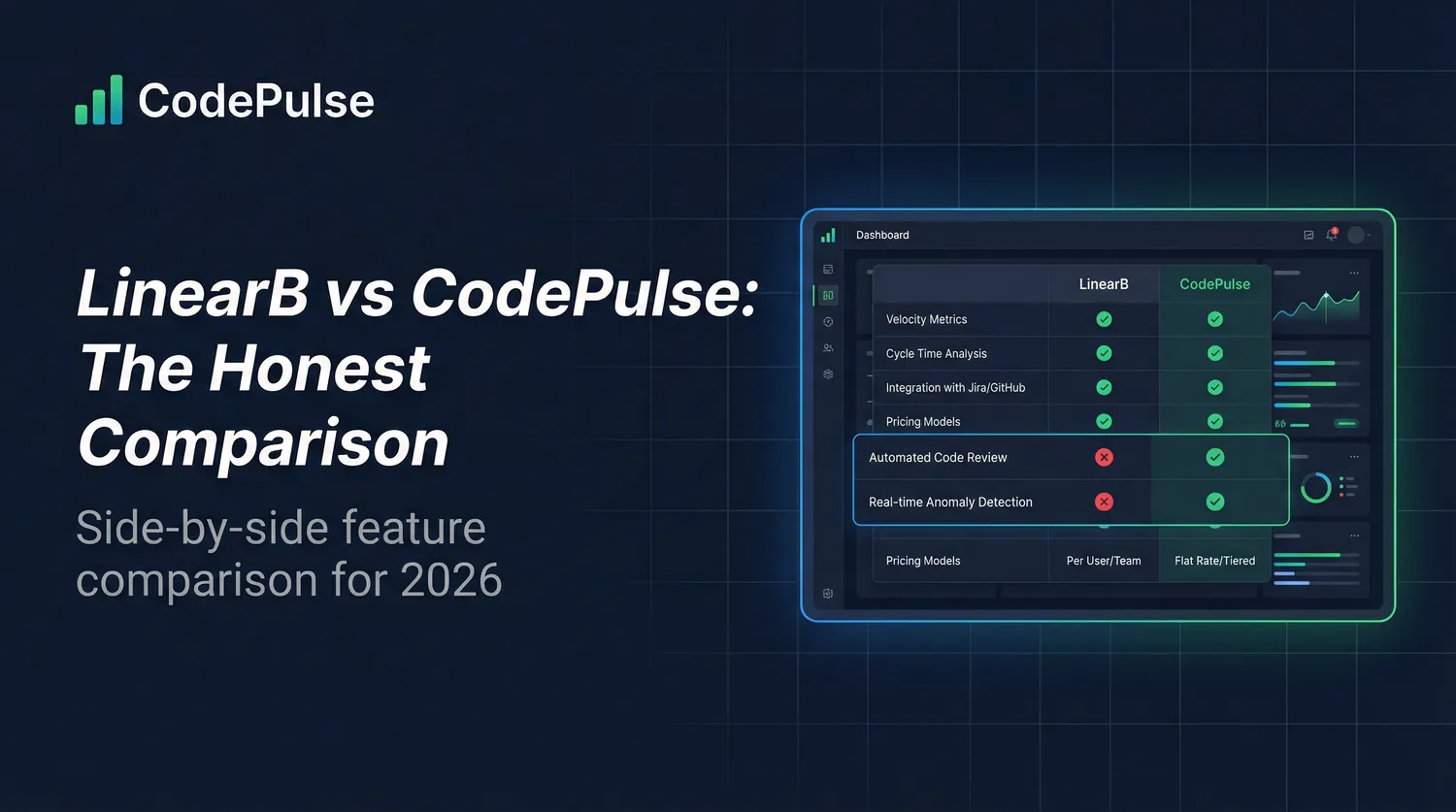
| Aspect | LinearB | CodePulse |
|---|---|---|
| Primary bet | Platform integration breadth | GitHub depth without integration tax |
| Data sources | GitHub, GitLab, Bitbucket, Azure DevOps, Jira, Linear | GitHub only |
| Setup time | Hours to days (multiple integrations) | Minutes (one OAuth flow) |
| Workflow automation | gitStream (powerful PR routing) | Alert rules (notifications only) |
| AI code review | Yes (automated on PRs) | No |
| Copilot impact tracking | Yes | No |
| Review collaboration | Basic visualizations | Interactive review network graph |
| Developer recognition | Limited | 15 award categories |
| Jira/Linear correlation | Deep integration | None |
| Data accuracy | Reported inconsistencies (see reviews below) | GitHub-native, transparent calculations |
| Data export | Limited export capabilities | CSV export built-in |
| Surveillance risk | Individual performance comparison by default | Anti-surveillance, team-focused |
/// Our Take
There is no "best" engineering analytics tool. There's the tool that makes the right trade-offs for your situation.
CodePulse is great for GitHub-focused teams who want depth without integration complexity. It's wrong for teams who need Jira correlation or support multiple Git providers. We'd rather you choose the right tool than choose us and be disappointed.
Pricing: What You'll Actually Pay
LinearB's pricing isn't on their homepage. Here's what we've gathered from public sources (G2, PriceLevel) as of 2025. Our full LinearB pricing review walks through the tier-by-tier math plus what typical procurement lands at.
| Plan | LinearB | CodePulse |
|---|---|---|
| Free | Up to 8 contributors, 1 team, 50 repos, 45-day retention | Small teams |
| Pro/Business | ~$420/contributor/year (~$35/mo) | See pricing |
| Enterprise | ~$549/contributor/year (~$46/mo) | Custom |
| Typical deal size | $21,000-$74,000/year | Transparent, self-serve |
Sources: LinearB Pricing, G2
The real question isn't "which is cheaper" but "which gives you value for what you're paying?" If you're using 20% of LinearB's features because you don't have Jira integration set up, you're paying for unused capabilities.
What LinearB Users Are Saying
We reviewed feedback from Capterra, G2, TrustRadius, and industry forums to understand the real experience of LinearB customers. Here are the patterns that emerge:
Data accuracy is the biggest concern
This is the most damaging category of complaints, and for good reason: if you can't trust the numbers, the tool is worse than useless.
"An expensive waste of my time. An ongoing litany of data accuracy issues which customer support was unable to understand, even when presented with comparable GitHub exports."
-- CTO on Capterra (1/5 stars). Ease of Use: 1.0, Features: 2.0, Customer Service: 1.0.
TrustRadius users report "missing, incorrect, or duplicated data and inaccurate calculations." Multiple reviewers on G2 describe data that "feels inconsistent or hard to trust." For a tool that costs $35/dev/month, data you have to second-guess defeats the purpose.
Dashboard overload without actionable guidance
"LinearB's UI was very clunky."
-- VP of Engineering at a hosting company, on Capterra
Reviewers consistently describe LinearB as "overwhelming with all the dashboards and numbers." The platform shows symptoms -- like slow cycle time -- but one team reported LinearB "only showed the symptom (slow cycle time) for 3 months without identifying the cause." They cancelled after a competitor identified their PR review bottleneck on day one.
Surveillance perception hurts adoption
LinearB's initial configuration compares individual performance within teams, which creates friction during rollout. As one competitor's analysis noted, "We still hear from many customers that they consider some of the views in LinearB harmful in the wrong hands." When developers see individual metrics used for comparison, adoption drops.
Support quality varies widely
Some users praise LinearB's support as "super responsive." Others describe a different experience entirely.
"Customer support is awful. No idea how to solve, no urgency for P0/1, there were times that I just understood things won't be fixed."
-- G2 reviewer
Missing features that matter
LinearB lacks self-reported developer experience surveys, push notifications for proactive insights, test coverage alerts, data export capabilities, and the ability to display metrics in business days. Several reviewers note that qualitative work like refactoring, architectural improvements, and fixing code smells is invisible in LinearB's metrics.
When to Choose LinearB Instead
"Choosing the wrong tool and migrating later costs more than choosing the right tool slowly. Take the time to understand what you actually need."
LinearB is the better choice if any of these are true for your team:
You need gitStream workflow automation
LinearB's gitStream is genuinely powerful. It routes PRs based on code changes, auto-assigns reviewers, adds labels, and enforces policies. If you need PR automation beyond notifications, LinearB does this better than anyone. CodePulse only has alert rules (reactive notifications), not proactive workflow automation.
You use multiple Git providers
If your organization uses GitHub AND GitLab, or has teams on Bitbucket and Azure DevOps, LinearB aggregates across all of them. CodePulse is GitHub-only. We're not planning to change this - we'd rather go deep on one platform than shallow on many.
Jira correlation is critical to your workflow
If your leadership asks questions like "how long did JIRA-1234 take from ticket creation to deploy?" or "what percentage of our work is features vs. bugs?", you need issue tracker integration. CodePulse can't answer these questions because we don't connect to Jira or Linear.
You want AI code reviews on every PR
LinearB offers automated AI-powered code reviews. CodePulse doesn't have this - we focus on analytics, not automation. If AI code review is important to you, LinearB (or a dedicated tool like CodeRabbit) is a better fit.
You need to track AI coding tool impact
LinearB can show you how Copilot affects your cycle time and code quality. If measuring AI assistant ROI is a priority, LinearB has purpose-built features for this.
Decision Tree: LinearB vs CodePulse

START HERE
    │
    ▼
Do you use multiple Git providers (GitLab, Bitbucket, Azure)?
    ├── YES → LinearB (CodePulse is GitHub-only)
    │
    ▼ NO
Do you need deep Jira/Linear ticket correlation?
    ├── YES → LinearB (CodePulse doesn't integrate)
    │
    ▼ NO
Do you need PR workflow automation (auto-assign, routing)?
    ├── YES → LinearB (gitStream is excellent)
    │
    ▼ NO
Do you want AI code reviews on every PR?
    ├── YES → LinearB (or CodeRabbit as dedicated tool)
    │
    ▼ NO
Is GitHub your primary source of truth?
    ├── NO → LinearB or evaluate Jellyfish/Swarmia
    │
    ▼ YES
Do you value fast setup over integration breadth?
    ├── YES → CodePulse (minutes, not weeks)
    │
    ▼ NO → Evaluate both, prioritize your must-haves
When CodePulse is the Better Fit
CodePulse is the better choice if these describe your situation:
GitHub is your primary source of truth
If your team lives in GitHub - PRs are your workflow, issues are your task tracker, and you're not deeply integrated with Jira - CodePulse gives you everything you need without the overhead of configuring integrations you won't use.
You want fast setup without a sales process
Connect GitHub, get insights in minutes. No integration configuration, no "schedule a demo" gatekeeping for pricing, no multi-week implementation project.
Review collaboration insights matter to you
CodePulse's Review Network is a genuinely differentiated feature. The interactive graph shows who reviews whose code, reveals load imbalances, and identifies isolated team members. LinearB has review metrics, but not this level of collaboration visualization.
You want to recognize diverse contributions
CodePulse's 15 award categories recognize speed, quality, collaboration, and consistency. This isn't just gamification - it surfaces valuable contributions that commit counts miss: the person who reviews the most, maintains quality, or stays consistent. LinearB focuses more on benchmarking than recognition.
// How to See This in CodePulse
Navigate to Dashboard to see cycle time broken into 4 stages:
- Coding time (first commit to PR open)
- Pickup time (PR open to first review)
- Review time (first review to approval)
- Merge time (approval to merge)
Then explore Review Network and File Hotspots for collaboration and risk insights.
Decision Matrix
Use this matrix to make your decision. Be honest about which scenarios apply to you:
| Your Situation | Recommendation | Why |
|---|---|---|
| GitHub-only team, <50 engineers | CodePulse | No need for multi-tool complexity; faster setup, lower cost |
| Multiple Git providers (GitHub + GitLab) | LinearB | CodePulse is GitHub-only; you need aggregation |
| Heavy Jira dependency, leadership wants issue metrics | LinearB | CodePulse has no Jira integration |
| Need PR workflow automation (auto-routing, labels) | LinearB | gitStream is powerful; CodePulse only has alert notifications |
| Measuring AI coding tool ROI | LinearB | Purpose-built Copilot impact tracking |
| Care about review collaboration visualization | CodePulse | Interactive review network is a differentiated feature |
| Want developer recognition beyond metrics | CodePulse | 15 award categories vs. limited recognition features |
| Budget-conscious, need transparent pricing | CodePulse | Self-serve pricing vs. sales process |
| Enterprise (500+ engineers), need scale | Either | Both scale; choice depends on integration needs |
Understanding the Real Trade-Offs
"Your engineering team doesn't need 7 analytics tools. They need one good one, used consistently. Tool sprawl is a symptom of not knowing what you actually need to measure."
What you give up with CodePulse
- Jira/Linear integration: No issue-to-code correlation, no investment categorization
- Multiple Git providers: GitHub only - no GitLab, Bitbucket, or Azure DevOps
- PR automation: Alerts notify; they don't act
- AI features: No AI code review, no Copilot tracking
What you give up with LinearB
- Data trust: Reported accuracy issues across multiple review platforms
- Simplicity: More integrations = more configuration = more maintenance
- Setup speed: Multi-tool integration takes time to configure correctly
- Pricing transparency: "Contact sales" for full pricing
- Data export: Users report lacking export facility, making it "difficult to share insights with stakeholders"
- Review collaboration depth: Basic review metrics vs. interactive network visualization
- Recognition features: Limited developer awards compared to 15 categories
- Root cause analysis: Shows symptoms without identifying causes
If You're Switching from LinearB
Already using LinearB and considering CodePulse? Here's the honest migration path. Teams coming off older dashboards first should also see our Code Climate Velocity alternative guide - the same migration checklist applies but with different feature gaps.
What transfers easily
- GitHub data: CodePulse syncs directly; no export/import needed
- Historical metrics: CodePulse processes last 6 months of PR data automatically
- Team structure: Based on GitHub org, not separate configuration
What you'll lose
- Jira correlation: If you relied on issue tracking integration, this goes away
- gitStream workflows: You'll need to replace with GitHub Actions or CODEOWNERS
- AI code reviews: You'll need a separate tool (CodeRabbit, GitHub Copilot review)
- Historical data beyond GitHub: Jira-related analytics history won't transfer
Migration timeline
- Connect GitHub (5 minutes): One OAuth flow to authorize CodePulse
- Initial sync (30-60 minutes): Historical PR data processing
- Explore dashboards (same day): Dashboard, Review Network, File Hotspots
- Set up alerts (optional): Configure notifications for stuck PRs
- Run in parallel (recommended): Keep LinearB for 2-4 weeks while you validate
Compare Other Tools
If LinearB vs. CodePulse isn't quite the right comparison for you, these related guides might help:
- Jellyfish vs. CodePulse - Enterprise-scale analytics with business alignment features
- Swarmia vs. CodePulse - SPACE framework focus and working agreements
- Full Tools Comparison - Overview of all engineering analytics tools
- DORA Metrics Tools - Tools specifically for DORA metrics measurement
Making Your Decision
Don't let marketing (including ours) make this decision for you. Here's how to decide:
- List your actual requirements: What questions do you need answered? What integrations do you actually use today?
- Try the free tiers: LinearB offers free for up to 8 contributors. CodePulse offers a free tier for small teams. Use both with real data.
- Evaluate after 2 weeks: Which dashboard do you actually open? Which insights changed behavior?
- Be honest about integration usage: If you set up Jira integration but never look at those reports, you're paying for unused features.
"Before buying another dashboard, ask: what decision will this data inform? If you can't answer that, you don't need the tool - you need clarity on what you're trying to improve."
The best tool is the one you'll actually use consistently. If that's LinearB because you need their integrations, great - use LinearB. If that's CodePulse because you want GitHub depth without complexity, we're here. Start your free trial and see if CodePulse is the right trade-off for your team.
Frequently Asked Questions
LinearB pricing starts at approximately $30 per developer per month for the Pro plan, with Enterprise pricing requiring a sales conversation. For a 50-engineer team, that is $18,000/year. CodePulse starts at $1,788/year for a team. LinearB requires CI/CD integration for full functionality, while CodePulse works with GitHub data alone.

Evaluate CodePulse against your own delivery history
A comparison table only goes so far. Connect read-only GitHub in about five minutes and judge the output on your repositories, at one flat price, with no per-seat math.
Read-only GitHub · Your code stays yours · Team-level by default · No credit card
See These Features in Action
Break down cycle time into coding, waiting, review, and merge phases.
Track all four DORA metrics and benchmark against industry standards.
Interactive graph of review relationships and workload distribution.
Related Guides
7 Jellyfish Alternatives for 2026 (Honest Ranking)
Compare 7 Jellyfish alternatives including CodePulse, LinearB, Swarmia, and more. Honest pros, cons, pricing, and integration comparisons.
Waydev Has 130+ Metrics. That's Too Many (2026)
An honest comparison of CodePulse vs Waydev. We tell you when to choose Waydev instead - because the best tool is the one that makes the right trade-offs for your situation.
Pluralsight Flow Alternative: Why Teams Are Switching
Pluralsight Flow is built for enterprise reporting - but if you need team-focused insights without leaderboards or enterprise pricing, there are better options. This guide compares the trade-offs.
Swarmia Alternatives: Cheaper, Deeper Analytics 2026
A Swarmia alternative worth considering: where Swarmia falls short on customization and per-seat pricing, and which cheaper, GitHub-native tools fit better.
LinearB Pricing in 2026: Full Breakdown & Hidden Costs
LinearB offers a free tier for 10 devs and Business at $30/dev/month. We review every tier, calculate real costs for teams of 25-200, and identify hidden expenses beyond the sticker price.
CodePulse vs GitHub Insights: When Free Isn't Enough
GitHub's built-in Insights are free but surface-level. This guide compares GitHub Insights against CodePulse for cycle time, review networks, DORA metrics, and alerting.