
Compare the finished analysis before you choose a platform
See the report CodePulse produces from read-only GitHub workflow data, or connect your own repositories and evaluate the fit with real evidence.
Read-only GitHub · Your code stays yours · Team-level by default · No credit card
Looking for Jellyfish alternatives and competitors? You're probably here because the $35K+/year price tag doesn't match the value you're getting, the 2-9 month implementation timeline tested your patience, or the platform feels more like it was built for your CFO than for your engineering team. We compared 7 tools side-by-side, covering pricing, integrations, and what each does best. We also tell you when Jellyfish is the right choice, because honesty matters more than conversions.
What are the best Jellyfish alternatives for engineering teams?
The top Jellyfish alternatives are CodePulse, LinearB, Swarmia, Allstacks, Faros AI, Apache DevLake, and Haystack. CodePulse is best for GitHub-native teams under 200 engineers who want real-time analytics at a fraction of the cost. LinearB adds workflow automation. Allstacks offers ML-powered delivery forecasting. Jellyfish costs approximately $588 per contributor per year. The right choice depends on team size, integration needs, and whether you need business alignment features.
Jellyfish is an Engineering Management Platform built for enterprise teams of 50+ engineers who need to connect engineering work to business outcomes, OKRs, and executive reporting. Not every team needs that. Below we break down what Jellyfish does well, where it falls short, and how seven alternatives stack up for different team sizes and goals. Also comparing other tools? See our uSeven alternative and Hatica alternative guides.
What are the best Jellyfish alternatives?
The top Jellyfish alternatives are CodePulse ($199/mo for 50 devs), LinearB (free tier + paid), Swarmia (EUR 42/dev/month Standard), Allstacks ($33/dev/month), and Haystack. CodePulse offers the fastest GitHub-native setup. Jellyfish excels for enterprise orgs with 500+ engineers needing R&D capitalization and multi-tool integration.
"The best engineering analytics tool is the one that matches your actual problems, not the one with the most features you'll never use."
What Is Jellyfish?
Jellyfish is an engineering intelligence platform that connects engineering activity to business outcomes. It pulls data from 25+ integrations, including GitHub, GitLab, Jira, CI/CD pipelines, incident management tools, and HR systems, then surfaces metrics around investment allocation, OKR progress, and team capacity.
The platform is primarily designed for VP/Director-level buyers at organizations with 50+ engineers. Pricing is not publicly listed, but third-party sources like PriceLevel report approximately $588 per contributor per year (~$49/month). Implementation typically involves a multi-week onboarding project with professional services support.
What Are the Best Jellyfish Alternatives?
Each of these tools takes a different approach to engineering analytics. We've included honest strengths and trade-offs for each, not just the highlights. Integrations vary a lot between them too - see our developer productivity platform integrations guide if that's the deciding factor for your stack.
1. CodePulse
Best for: 10-200 engineer teams who want deep GitHub analytics without enterprise overhead.
- Cycle time breakdown into four actionable stages (coding, waiting, review, merge)
- Review network visualization showing collaboration patterns and bottlenecks
- File hotspot and knowledge silo detection at the file level
- GitHub, Jira, and Linear integrations
- Self-serve setup in under 5 minutes
Pricing: Free for up to 10 developers. Pro from $199/month, Business from $449/month. Monthly billing, cancel anytime.
Trade-off: No GitLab or Bitbucket support. No OKR alignment or investment categorization. Built for delivery teams, not board-level reporting.
2. LinearB
Best for: Teams using Jira + GitHub/GitLab who want PR workflow automation alongside metrics.
- gitStream workflow automation for code review routing and standards
- WorkerB bot for PR notifications and nudges
- DORA metrics with investment mapping
- Multi-git-provider support (GitHub, GitLab, Bitbucket)
Pricing: Free tier for up to 8 contributors. Paid plans from ~$420/contributor/year.
Trade-off: Narrower integration set outside core dev tools. The automation focus means less depth on analytics compared to dedicated analytics platforms. Read our full LinearB comparison.
3. Swarmia
Best for: Teams that prioritize developer experience measurement alongside delivery metrics.
- SPACE and DORA frameworks built in
- Developer experience surveys with quantitative scoring
- Working agreements for team-level standards
- CI/CD visibility and Slack integration
Pricing: Free tier for companies with fewer than 10 developers. Standard EUR 42/dev/month billed annually; a-la-carte modules from EUR 4.
Trade-off: Less suited for large, multi-team organizations. Limited customization options reported by users. Read our full Swarmia comparison.
4. Allstacks
Best for: Enterprise teams that need predictive delivery forecasting and portfolio-level visibility.
- Value stream intelligence with delivery risk forecasting
- Initiative-level tracking across teams
- Broad integration set (GitHub, GitLab, Bitbucket, Jira, Azure DevOps)
- Typically operational within 24-48 hours
Pricing: Enterprise pricing, contact sales.
Trade-off: Focused more on delivery prediction than granular engineering metrics. Less depth on code-level analytics like review patterns or file hotspots.
5. Pluralsight Flow
Best for: Organizations already on Pluralsight wanting combined learning and analytics.
- 60+ engineering metrics including code quality patterns
- PR size, review cycles, and collaboration analytics
- Integration with Pluralsight's learning platform
- CapEx data reports for finance teams
Pricing: Part of Pluralsight platform licensing.
Trade-off: Tightly coupled with Pluralsight ecosystem. If you don't use Pluralsight for learning, the bundled value diminishes. Read our full Pluralsight Flow comparison.
6. Waydev
Best for: Enterprise teams needing finance-friendly R&D tracking and cost capitalization.
- 130+ metrics across the delivery lifecycle
- Cost capitalization and R&D tax credit support
- Sprint forecasting and capacity planning
- Calendar and Slack integrations alongside dev tools
Pricing: Enterprise pricing, contact sales.
Trade-off: High metric count can feel overwhelming. Enterprise-focused setup process. Read our full Waydev comparison.
7. Faros AI
Best for: Large engineering organizations (500+ engineers) that need end-to-end SDLC visibility across 100+ data sources.
- Ingests data from 100+ sources across Git, CI/CD, incident, quality, and deployment tools
- Avoids relying on any single tool as the sole source of truth
- Built for organizations where Jellyfish's Jira-centric approach falls short
- Custom dashboards and flexible data modeling
Pricing: Enterprise pricing, contact sales.
Trade-off: Complex setup given the breadth of integrations. Best suited for very large organizations with dedicated platform teams.
Quick Comparison: All 7 Jellyfish Alternatives
| Tool | Best For | Jira | GitHub | GitLab | Setup | Pricing |
|---|---|---|---|---|---|---|
| CodePulse | GitHub-focused teams | Yes | Yes | No | Minutes | Free tier, from $199/mo |
| LinearB | PR automation + metrics | Yes | Yes | Yes | Hours | Free tier, ~$420/yr per dev |
| Swarmia | Developer experience | Yes | Yes | Yes | Hours | Free tier, from EUR 20/mo |
| Allstacks | Delivery forecasting | Yes | Yes | Yes | 1-2 days | Enterprise (contact sales) |
| Pluralsight Flow | Learning + analytics | Yes | Yes | Yes | Days | Platform license |
| Waydev | R&D cost tracking | Yes | Yes | Yes | Days | Enterprise (contact sales) |
| Faros AI | Enterprise SDLC visibility | Yes | Yes | Yes | Weeks | Enterprise (contact sales) |
Jellyfish vs CodePulse: A Closer Look
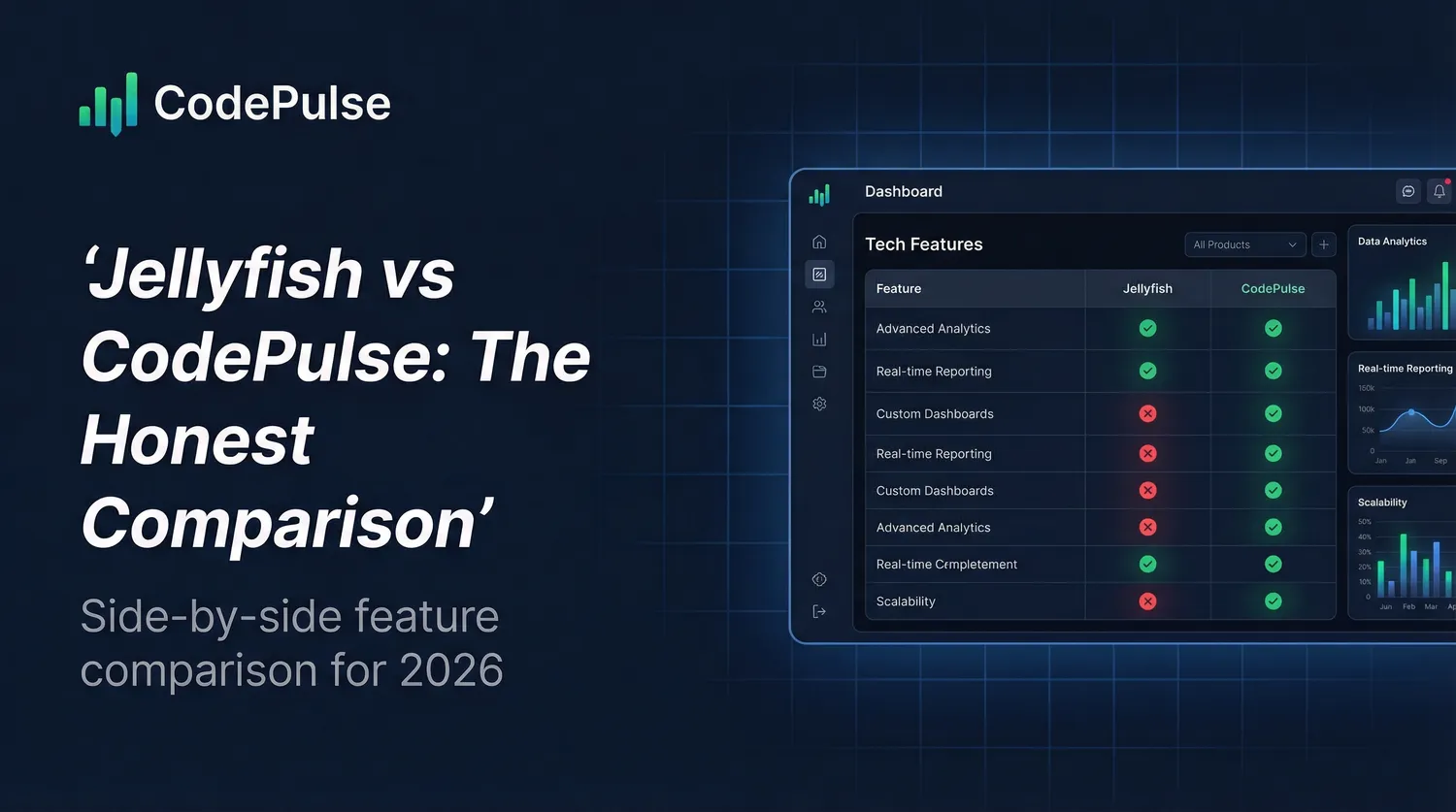
Since we build CodePulse, we owe you the most detailed comparison here. Let's be direct about what each tool is actually designed to do. Budget-focused readers can also jump straight to our Jellyfish pricing review for the contract and per-seat math.
| Aspect | Jellyfish | CodePulse |
|---|---|---|
| Primary purpose | Connect engineering to business outcomes | Deep GitHub analytics for delivery teams |
| Target team size | 50+ engineers (enterprise focus) | 10-200 engineers |
| Key buyer | VP/Director reporting to C-suite | Engineering Manager/Tech Lead |
| Setup time | Weeks (enterprise implementation) | Minutes (self-serve) |
| Pricing (approx.) | ~$588/contributor/year (~$49/mo) | Free tier, Pro from $199/mo |
| Learning curve | Steep (UX complexity reported) | Shallow (GitHub-native concepts) |
| Custom reports | No customizable reports or API | CSV export, transparent metrics |
| Data accuracy | Sprint KPIs reported unreliable | Git-native timestamps, reproducible |
| Developer focus | Top-down, leadership-oriented | Anti-surveillance, team-focused |
These aren't competing products; they're solving different problems for different audiences. Choosing between them should be about fit, not feature counts.
What Jellyfish Does Well
Credit where it's due: Jellyfish excels at things CodePulse doesn't attempt:
OKR and Business Alignment
Jellyfish connects engineering work to company objectives. You can tag PRs and commits to specific OKRs, then show executives exactly how much engineering investment went toward each business goal. This is genuinely valuable if your leadership team asks "what did engineering do this quarter?" and expects a business-outcome answer, not a technical one.
Investment Categorization
Jellyfish categorizes engineering work as feature development, technical debt, support, or maintenance. This connects engineering to finance and helps answer questions like "what percentage of our engineering spend went to new features vs. keeping the lights on?"
Multi-Tool Integration
With 25+ integrations (Jira, GitHub, GitLab, CI/CD, incident management, HR systems), Jellyfish can correlate data across your entire toolchain. If you need to connect engineering metrics to incident response, HR data, or project management, Jellyfish is built for that complexity.
Executive Reporting
Jellyfish is designed to produce reports that VPs and C-suite executives can consume directly. If your job involves presenting engineering metrics to the board or CFO, Jellyfish speaks that language better than most engineering tools.
AI Impact Tracking
Jellyfish tracks the productivity impact of AI coding tools like GitHub Copilot, Claude Code, and Cursor. It also provides cycle time breakdown stages at a portfolio level, which is useful for executives tracking delivery cadence across teams. If proving AI tool ROI matters to your organization, this is a genuine differentiator.
What Jellyfish Users Are Saying
We reviewed feedback from Capterra, G2, TrustRadius, Gartner Peer Insights, and GetApp to understand the real experience of Jellyfish customers. Here are the recurring themes:
The UI isn't intuitive
"UI isn't intuitive and requires additional research before using. Navigation isn't intuitive either."
-- Engineering Manager on Capterra
Multiple reviewers describe a steep learning curve. One Senior Software Engineer noted the tool has a "fairly steep learning curve" and that "training is vital to be able to use the product well." A Sr. Program Manager acknowledged the complexity, describing the UX as something that "takes time to learn." A CTO flagged that "detail gets too detailed too fast" and the platform "could do with a mid-level of insights."
Sprint KPIs don't work as expected
"The KPIs with the sprints really don't work well. We have bi-weekly sprints and the numbers are not reproducible. This causes a breakdown of trust with the managers."
-- G2 reviewer
Data quality concerns extend beyond sprints. Reviewers on TrustRadius note that "sometimes there are no clear explanations on how calculations ran." The platform tracks activity metrics (PR counts, commit frequency) but users have "expressed a desire for more qualitative insights, such as team morale or collaboration effectiveness."
Top-down approach leaves developers behind
"Jellyfish has a top-down approach to measurement, largely benefiting leaders and not those doing the actual work."
-- CTO of a software company, who switched away from Jellyfish
A Senior Software Engineer on GetApp raised a fair concern: "These metrics could be used poorly or abused." When teams focus on hitting metric targets rather than improving actual outcomes, it can lead to burnout and gaming behavior.
Implementation takes months, not days
Implementations typically span 2-9 months with significant integration complexity. One analysis described the experience as "stuck with rigid reporting, a clunky interface, and onboarding that feels slow and expensive." When integrations break, users "typically have to involve the support team" rather than fixing things themselves. There is no free trial, and an annual subscription is required.
Limited customization and reporting
"Lack of user configuration to create custom reports."
-- Sr. Director of Program Management on GetApp
Users want more flexibility in filtering and displaying metrics. Jellyfish lacks an API to pull metrics into other systems, and offers no customizable reports. For teams that need tailored insights beyond Jellyfish's predefined views, this is a real limitation.
Where Jellyfish Struggles
Based on user feedback and market research, these are Jellyfish's known pain points:
Steep Learning Curve
Enterprise features come with enterprise complexity. Users report that Jellyfish takes significant time to learn and configure effectively. If you're an Engineering Manager already stretched thin, adding a complex tool may not be the right trade-off.
UX Complaints
Reviews consistently mention UX friction. The platform has many capabilities, but finding and using them isn't always intuitive. Teams heavily reliant on Jira report that even Jellyfish's Jira integration can feel cumbersome compared to lighter tools. This matters because an analytics tool that's hard to use doesn't get used.
Implementation Overhead
Jellyfish typically requires a formal implementation project. For teams that want insights this week, not next quarter, this can be a blocker.
Overkill for Smaller Teams
If you have 30 engineers and your main question is "why are PRs taking so long?", Jellyfish's investment categorization and HR integration don't help. You're paying for complexity you don't need.
* Our Take
There is no "best" engineering analytics tool. There's the tool that makes the right trade-offs for your situation. CodePulse is great for GitHub-focused teams who want depth without integration complexity. It's wrong for teams who need OKR correlation or board-level reporting.
We'd rather lose a sale to the right customer than win one from the wrong customer. Trust is worth more than a conversion.
Where CodePulse Fits Better
CodePulse is purpose-built for teams who want to understand their GitHub delivery process deeply, without the overhead of enterprise platforms:
Deep Cycle Time Analysis
Where Jellyfish shows cycle time at a portfolio level, CodePulse breaks it into four granular stages you can act on immediately. The Dashboard shows each phase clearly:
- Coding time: First commit to PR open
- Wait for review: PR open to first review
- Review time: First review to approval
- Merge time: Approval to merge
This isn't just "your cycle time is 3 days." It's "your team spends 18 hours waiting for review and only 4 hours in actual review." That's the kind of cycle time breakdown that tells you exactly where to focus.
Review Network Visualization
The Review Network shows collaboration patterns as an interactive graph. You can see who reviews whose code, identify review load imbalance, and spot isolated team members. Jellyfish has review analytics, but CodePulse's visualization is more interactive and actionable.
File Hotspot Analysis
The File Hotspots view identifies high-churn files and knowledge silos at the file level. When one developer owns a critical file, that's a risk. CodePulse makes these risks visible.
Developer Recognition
The Developer Awards celebrate contributions across 15+ categories: not just volume, but quality, collaboration, and consistency. Jellyfish doesn't have an equivalent.
Minutes to Value
Connect your GitHub org and get insights in under 30 minutes. No implementation project, no professional services, no waiting weeks for configuration.
"Enterprise tools solve enterprise problems. If you don't have enterprise problems, you're paying for solutions to problems you don't have."
Jellyfish vs LinearB
LinearB is one of the most common alternatives teams evaluate alongside Jellyfish. The key difference: Jellyfish focuses on connecting engineering to business outcomes, while LinearB focuses on optimizing the developer workflow with automation.
| Aspect | Jellyfish | LinearB |
|---|---|---|
| Primary focus | Business alignment and investment tracking | Workflow automation and PR optimization |
| Jira integration depth | Deep (OKR + investment mapping) | Strong (sprint tracking + issue correlation) |
| Unique feature | AI tool ROI tracking | gitStream automated code review routing |
| Pricing | ~$588/contributor/year | Free tier, ~$420/contributor/year |
For a deeper look, see our full LinearB comparison.
Integration Depth: Jellyfish vs Alternatives
One of the most common questions when comparing Jellyfish competitors: which tools integrate with your existing stack? Here's how the major players compare across GitHub, GitLab, Jira, and other key integrations:
| Integration | Jellyfish | CodePulse | LinearB | Swarmia |
|---|---|---|---|---|
| GitHub | Yes | Yes (deep) | Yes | Yes |
| GitLab | Yes | No | Yes | Yes |
| Bitbucket | Yes | No | Yes | No |
| Jira | Yes (deep) | Yes | Yes (deep) | Yes |
| Linear | No | Yes | No | Yes |
| CI/CD tools | Yes | No | Jenkins only | Yes |
| Slack | Yes | No | Yes | Yes |
| HR systems | Yes | No | No | No |
When to Choose Jellyfish Instead
We believe in being honest about when CodePulse isn't the right choice. Choose Jellyfish if:
| Situation | Why Jellyfish |
|---|---|
| You have 50+ engineers | Jellyfish is built for enterprise scale with complex team hierarchies |
| You report to a CFO or board | Jellyfish speaks the language of business outcomes and investment allocation |
| You need OKR alignment | Jellyfish connects engineering work to company objectives natively |
| You need audit-ready cost capitalization | Jellyfish DevFinOps produces SOC 1 Type II, audit-ready R&D capitalization reports |
| You need 25+ integrations | Jellyfish connects Jira, CI/CD, incident tools, HR, and more |
| You span GitLab, Bitbucket or Azure DevOps | Jellyfish covers multi-SCM; CodePulse is GitHub-only by design |
| You need HR-system integration | Jellyfish syncs org structure and headcount from HR tools |
If more than 3 of these apply to you, Jellyfish is probably the better fit. That's okay: we'd rather you use the right tool than fight with the wrong one.
CodePulse Limitations (We're Being Honest)
CodePulse doesn't do everything. Here's what we don't offer. Larger enterprises that need cross-tool correlation across 200+ SDLC sources are typically better served by a data-platform play like Faros - our Faros AI alternative guide walks through that trade-off honestly.
- No OKR integration: We don't map PRs to company objectives the way Jellyfish's business alignment does
- No cost capitalization: We don't produce audit-ready R&D capitalization or CapEx finance reports (Jellyfish DevFinOps does)
- No GitLab or Bitbucket: We integrate with GitHub, Jira, and Linear, but not GitLab or Bitbucket
- No HR-system integration: We don't sync org charts or headcount from HR tools
- Narrower connector surface: GitHub, Jira, Linear and Slack - not the 25+ SDLC integrations an enterprise data platform correlates
- Mid-size focus: We're built for 50-500 engineer orgs, not 1,000+ enterprise program offices
Worth being equally clear about what CodePulse does ship, because readers of older comparisons sometimes assume otherwise: investment allocation with six work categories (GitHub labels, Jira/Linear tickets, and AI classification), AI coding-tool ROI measurement across 11 tools, developer experience surveys, and board-ready executive reports with PowerPoint export.
These aren't bugs; they're intentional trade-offs. We believe a focused tool that does GitHub analytics well is more valuable than an enterprise platform you'll only use 20% of.
Decision Matrix
| Your Situation | Recommendation |
|---|---|
| 10-50 engineers, GitHub-focused, want fast setup | CodePulse |
| 50+ engineers, need OKR alignment | Jellyfish |
| Report engineering investment to CFO/board | Jellyfish |
| Need cycle time breakdown and review analytics | CodePulse (deeper on this specific problem) |
| Need to correlate Jira + GitHub + CI/CD | Jellyfish |
| Want PR workflow automation and gitStream | LinearB |
| Prioritize developer experience surveys | Swarmia |
| Engineering Manager wanting team health insights | CodePulse |
| VP Engineering wanting business outcome metrics | Jellyfish |
| Want insights today, not next month | CodePulse |
| Budget for enterprise implementation | Jellyfish (if you need the features) |
Pricing Reality
Pricing is one of the biggest factors when choosing a Jellyfish alternative. Here's what we know based on publicly available data from PriceLevel and vendor websites (approximate, may vary):
| Tool | Per-Contributor Cost | Free Tier | Contract |
|---|---|---|---|
| Jellyfish | ~$588/year (~$49/mo) | No | Annual enterprise |
| CodePulse | From $199/mo (team) | Yes (up to 10 devs) | Monthly, cancel anytime |
| LinearB | ~$420/year | Yes (up to 8 devs) | Annual |
| Swarmia | From EUR 20/mo | Yes (up to 14 devs) | Monthly available |
| Allstacks | Contact sales | No | Enterprise |
| Pluralsight Flow | Platform license | No | Annual |
| Waydev | Contact sales | No | Enterprise |
| Faros AI | Contact sales | No | Enterprise |
* The Real Cost Calculation
Tool cost isn't just the license. Include: implementation time, learning curve productivity loss, integration maintenance, and the risk that a complex tool simply doesn't get used. A simpler tool that your team actually uses daily is worth more than an enterprise platform collecting dust.
The Honest Verdict
Jellyfish and CodePulse are not competitors; they're different tools for different problems. The same is true for the other alternatives listed above. The right choice depends on your team size, budget, integration needs, and what questions you're trying to answer.
Choose Jellyfish if you need to connect engineering to business outcomes, report to executives, track OKRs, and have the team size and budget to justify enterprise implementation.
Choose CodePulse if you want deep GitHub analytics, fast setup, and actionable insights for your delivery team without the overhead of enterprise platforms.
Choose LinearB if you want PR workflow automation alongside your metrics, especially with gitStream.
Choose Swarmia if developer experience measurement and surveys are your primary concern.
"The worst analytics tool is the one that's too complex to use daily. The best one is the one that becomes part of your workflow."
If you're not sure which category you're in, try CodePulse first. You can be up and running in minutes with no commitment. If you outgrow it, Jellyfish will still be there.
Frequently Asked Questions
Jellyfish costs approximately $588 per contributor per year ($49/month) according to PriceLevel, with multi-week onboarding. CodePulse starts at $1,788/year for a team (flat, not per developer). Swarmia offers a free tier for up to 9 developers. For a 100-engineer team, Jellyfish runs about $59,000 annually versus $4,188 for CodePulse (Business tier, up to 150 developers).
Related Comparisons
Exploring other options? Check out these guides:
- LinearB Alternative - For teams focused on workflow automation and gitStream
- Swarmia Alternative - For teams focused on developer experience and working agreements
- Waydev Alternative - For teams needing R&D cost capitalization and sprint forecasting
- Pluralsight Flow Alternative - For teams evaluating bundled learning+analytics platforms
- Engineering Analytics Tools Comparison - Comprehensive comparison of all major platforms

Evaluate CodePulse against your own delivery history
A comparison table only goes so far. Connect read-only GitHub in about five minutes and judge the output on your repositories, at one flat price, with no per-seat math.
Read-only GitHub · Your code stays yours · Team-level by default · No credit card
See These Features in Action
Board-ready engineering performance in a single page.
See where engineering effort goes across features, maintenance, and debt.
Related Guides
5 LinearB Alternatives for 2026 (With Pricing)
An honest comparison of CodePulse vs LinearB. We tell you when to choose LinearB instead, because the best tool is the one that makes the right trade-offs for your situation.
Waydev Has 130+ Metrics. That's Too Many (2026)
An honest comparison of CodePulse vs Waydev. We tell you when to choose Waydev instead - because the best tool is the one that makes the right trade-offs for your situation.
Pluralsight Flow Alternative: Why Teams Are Switching
Pluralsight Flow is built for enterprise reporting - but if you need team-focused insights without leaderboards or enterprise pricing, there are better options. This guide compares the trade-offs.
Swarmia Alternatives: Cheaper, Deeper Analytics 2026
A Swarmia alternative worth considering: where Swarmia falls short on customization and per-seat pricing, and which cheaper, GitHub-native tools fit better.
Jellyfish Pricing 2026: $35,920 Median, No List Price
Jellyfish does not publish pricing. Buyer-reported data shows $20-40/dev/month and a $35,920 median annual contract. We break down the real costs, hidden fees, and how Jellyfish compares to alternatives.
5 Best Cortex Alternatives 2026: Portal or Analytics
Cortex is a developer portal, not an analytics tool. This guide explains the difference, compares 5 alternatives across both categories, and helps you pick the right tool for your actual problem.
Jellyfish vs GitKraken Insights: The Honest Comparison
Jellyfish is the Gartner MQ Leader with quote-only pricing; GitKraken Insights is the nine-month-old challenger at $9-19/contributor. A sourced, vendor-neutral head-to-head - with the third option both leave out.
Engineering Analytics Tools: What User Reviews Really Say
An aggregation of what reviewers on G2, Capterra, TrustRadius and Gartner Peer Insights say about Jellyfish, Swarmia, LinearB and Allstacks - the recurring complaint patterns vendors do not quote.