
Compare the finished analysis before you choose a platform
See the report CodePulse produces from read-only GitHub workflow data, or connect your own repositories and evaluate the fit with real evidence.
Read-only GitHub · Your code stays yours · Team-level by default · No credit card
These two used to be easy to tell apart: one lived in your terminal, the other in your editor. That line is gone. GitHub Copilot CLI went generally available on 25 February 2026, so Copilot now runs as a terminal agent that plans, edits files, runs your tests and delegates to cloud agents, sitting in the same pane a developer would otherwise give to Claude Code. What still separates them is narrower and more practical: which models you can point at the work, how the usage gets billed, how deep the GitHub wiring goes, and how far each tool's surfaces spread beyond the terminal. Most teams that adopt one end up paying for both, which makes the useful question not which one wins but which one earned its renewal.
Claude Code vs GitHub Copilot: what's the real difference?
Both are agentic coding tools with a terminal CLI, editor integrations and a cloud agent, so 'CLI versus extension' stopped being the difference when Copilot CLI hit general availability in February 2026. Copilot switches between Anthropic, OpenAI and Google models, is metered in GitHub AI Credits on per-seat plans from $10/month, keeps inline completions free of credit spend, and is wired straight into Issues, PRs, Actions and code review. Claude Code runs Anthropic's models only, draws from a Claude subscription starting at $17-20/month, and carries one session across terminal, VS Code, JetBrains, desktop, web and phone. Most teams end up running both for different-shaped work rather than picking a single winner.
Both vendors have an incentive to blur the comparison - Anthropic wants Claude Code to look like a Copilot replacement, GitHub wants Copilot to look like it never had a gap to close. The honest version is that GitHub spent 2025 and early 2026 building the surface it was missing, and shipped it. What is left to compare is smaller than the marketing on either side suggests, and more useful.
The surface argument is settled: both tools live in your terminal now. What's left is model choice, billing shape, and how much of GitHub you want to buy into.
Does GitHub Copilot Have a CLI?
Yes, and this is the single most out-of-date claim in most Claude Code comparisons, including an earlier version of this one. Copilot CLI reached general availability on 25 February 2026, after a public preview that opened in September 2025. You install it with npm install -g @github/copilot (Homebrew, WinGet, an install script and gh copilot all work too) and run copilot. What you get is a terminal agent, not a command-suggestion box: it plans multi-step work, edits files, runs commands and tests, and iterates until the job is done. Shift+Tab drops it into a plan mode that asks clarifying questions before it writes anything, autopilot mode stops it asking permission for every command, and it delegates sub-tasks to specialised local agents or to cloud ones. It reads MCP servers, plugins installed straight from GitHub repos, markdown skills and custom .agent.md agents, and you can switch model mid-session between Anthropic, OpenAI and Google families.
Two things worth clearing up. First, this is not the old gh copilot suggest / gh copilot explain extension, which was a one-shot shell-command helper and stopped working in October 2025 - if that is your mental model of Copilot in a terminal, it is a year out of date. Second, on Copilot Business and Enterprise an administrator has to enable the CLI by policy before anyone on the team can use it, so "we have Copilot" does not guarantee "we have Copilot CLI".
What Are Claude Code and GitHub Copilot Built For?
GitHub Copilot started as an in-editor completion engine and is still the best-known one: it suggests the next line or block as you type, across VS Code, JetBrains, Visual Studio, Neovim and github.com itself. Around that core it now runs chat, an editor Agent mode, the terminal CLI above, and a GitHub-hosted coding agent that takes an assigned issue and opens a pull request from Actions rather than from a developer's machine. The common thread is that Copilot lives where GitHub already lives - the editor, the issue, the pull request, the review comment - and that GitHub-native depth is still its clearest advantage over every competitor, Claude Code included. Its second advantage is model choice: pick a model per task and switch mid-session.
Claude Code is Anthropic's agentic coding tool, and the terminal is where it started. You describe a task in plain English - "add rate limiting to the API client and update the tests" - and it reads across the relevant files, plans the change, executes it, and runs your test suite to check its own work, without the developer scoping which files matter first. Around that sit the pieces teams tend to actually adopt: a CLAUDE.md file it reads at the start of every session, auto memory that carries learnings between sessions, skills for repeatable workflows, hooks that run your formatter or linter after every edit, and subagents that split a task and work in parallel.
The other half of Anthropic's answer is surface spread. The same Claude Code engine runs in the terminal, VS Code, JetBrains, a desktop app, a browser and the mobile app, sharing your repo's settings and MCP servers, and a single session can move between them - start something on your laptop, check it from your phone, pull it back into the terminal. It also runs in GitHub Actions and GitLab CI, replies to @Claude in Slack, and can be scheduled to run on its own. Where Copilot's answer to breadth is "everywhere GitHub is," Anthropic's is "everywhere you are." The trade is model choice: Claude Code runs Anthropic's models, full stop.
Neither tool is standalone in the sense of running independently: Copilot needs a GitHub account and a Copilot subscription, and mostly assumes you work inside GitHub's ecosystem; Claude Code needs an active Claude plan (or Console credits) and bills against that plan's usage budget rather than carrying its own price tag.
How Do Their Features Compare?
A year ago this section would have been about surfaces. It can't be any more: between them the two tools cover inline completions, chat, an IDE agent, a terminal agent and a cloud agent, and only one of those five belongs to a single vendor - inline completion, which Claude Code doesn't sell at all. Four differences survive the overlap, and they are the ones worth arguing about internally: which models you can run, how usage is metered, how much GitHub-native workflow comes attached, and how far the tool follows a developer off the terminal.
| Aspect | GitHub Copilot | Claude Code |
|---|---|---|
| Primary surface | Editor extension (VS Code, JetBrains, Visual Studio, Neovim), terminal CLI, github.com | Terminal CLI, plus VS Code, JetBrains, a desktop app, the web and mobile |
| Terminal agent | Yes - copilot, generally available 25 Feb 2026: plan mode, autopilot, agent delegation, MCP, plugins, custom agents | Yes - claude, the surface it launched on: CLAUDE.md memory, skills, hooks, subagents, MCP |
| Inline completions | Yes, plus Next Edit Suggestions - and they don't consume AI Credits | No inline completion product |
| Core strength | Completions everyone will use on day one, the tightest GitHub integration of any tool, and a model choice per task | Long autonomous multi-file runs, and one session that follows you across terminal, IDE, desktop, web and phone |
| Model choice | Anthropic, OpenAI and Google models, switchable mid-session | Anthropic models only (hostable via Bedrock or Vertex) |
| Autonomous cloud agent | Coding agent takes an assigned issue and opens a PR from Actions; CLI can delegate to it | Web and mobile sessions, scheduled routines, GitHub Actions and GitLab CI |
| Pricing model | Per seat plus AI Credits: Free, Pro $10/mo, Pro+ $39/mo, Max $100/mo, Business $19/user/mo, Enterprise $39/user/mo | Bundled into a Claude plan: Pro from $17/mo, Max 5x $100/mo, Max 20x $200/mo, Team/Enterprise seats |
| GitHub-native depth | Deepest of any tool: PRs, Issues, Actions, code review comments | Works with any Git host; GitHub Actions and GitLab CI, but no GitHub UI surface of its own |
| Leaves a git trace CodePulse can detect | Yes for Copilot CLI and the coding agent, which co-author their commits; inline completions leave no trace | Yes, via a Co-Authored-By commit trailer |
How Do Claude Code and GitHub Copilot Price?
GitHub Copilot is sold as its own product with its own per-seat tiers, and on 1 June 2026 the metering underneath them changed: premium requests are gone, and every plan now carries a monthly allowance of GitHub AI Credits that chat, agent and CLI work draws down, billed on actual token consumption. Copilot Free includes a limited allowance, Pro is $10/month with 1,500 credits, Pro+ is $39/month with 7,000, the newer Max tier is $100/month with 20,000, Business is $19/user/month with 1,900 credits per user, and Enterprise is $39/user/month with 3,900. Inline completions and Next Edit Suggestions don't consume credits on any plan, which matters for a rollout: the surface most of your team will use every day stays a flat per-seat cost, and only the agentic work is metered. Copilot CLI is included on all of these, though on Business and Enterprise an admin has to switch it on by policy first.
Claude Code doesn't have its own price tag - it draws from whichever Claude plan you're already paying for, which makes "how much does Claude Code cost" a question about your overall Claude usage rather than an add-on line item. Pro runs $17/month billed annually (or $20 month-to-month) and is enough for light-to-moderate use; Max 5x ($100/month) and Max 20x ($200/month) scale the included usage pool for developers running Claude Code heavily throughout the day. Nothing in Claude Code is metered separately from that pool, so there is no equivalent of the credit question - the trade-off is the opposite one, a shared session limit rather than a per-token line item. Team seats run $20-25/month on the standard tier or $100-125/month on the premium-usage tier, and Enterprise is priced at $20/seat plus usage billed at API rates for organizations that need higher ceilings.
Both vendors have moved these numbers more than once in the past year, and GitHub changed the entire billing mechanism mid-2026, so treat the figures above as a September 2026 snapshot rather than a permanent quote - check github.com/features/copilot/plans and claude.com/pricing directly before budgeting a rollout.
Which Team Should Choose Which?
| Your Situation | Recommendation |
|---|---|
| You want the easiest org-wide default to roll out | GitHub Copilot (Business/Enterprise) |
| You have a lot of multi-file refactors, migrations, or unfamiliar-codebase work | Claude Code |
| You want AI directly in GitHub Issues/PR review flows | GitHub Copilot |
| You want to pick a different model per task, or avoid a single-vendor bet | GitHub Copilot |
| You want one session to follow a developer from terminal to desktop, browser and phone | Claude Code |
| Budget needs to be one predictable line item with no metered surprises | Claude Code, or Copilot with org budget caps on credits |
| You already pay for Claude and want to extend that spend into coding | Claude Code |
| You want to know which tool is actually worth the renewal | Neither alone - measure both against real delivery data |
* Our Take
"Which AI coding tool is better" is the wrong question. The better question is "which tool is worth what we're paying for it, for the work we actually do."
Copilot and Claude Code are genuinely good at different-shaped problems, and most teams that adopt AI coding tools seriously end up running more than one. The mistake isn't picking the "wrong" tool - it's picking either one and never checking whether it actually changed anything about how fast or how safely your team ships. A renewal decision made on vibes costs the same as one made on data; only one of them is defensible in a budget review.
Where Does CodePulse Fit?
CodePulse doesn't compete with either tool - it measures what happened after either one was used, and for these two specifically it doesn't need a developer to self-report anything. Before trusting any adoption figure, though, it is worth understanding how incomplete AI usage reporting can be and why a seat with no recorded usage is unknown rather than idle. The AI ROI page imports real usage and spend data directly from Anthropic's Admin API for Claude Code and from GitHub's organisation-level Copilot usage report (which needs Copilot Business or Enterprise and an approved GitHub App permission), then joins that against your PR history to compute an actual cost-per-PR figure for every developer using either tool - not an estimate, the vendor's own billing data. It separately tracks a second, git-based signal: Claude Code, Copilot CLI and Copilot's coding agent all write a Co-Authored-By trailer on the commits they make, which CodePulse uses to compare their revert-based rework rate against everything else.
* How to See This in CodePulse
Navigate to AI ROI to see the imported, provider-sourced view:
- Per-developer spend and cost-per-PR for Claude Code and Copilot, pulled straight from each vendor's own usage data
- A coverage view showing provisioned seats against seats with actual usage, so you can see unused licenses without guessing
- The AI-assisted rework rate comparison from commit trailers, as a second, git-based signal alongside the cost data
Both feeds have a real limit worth naming: the provider-imported usage data covers Claude Code and Copilot specifically because Anthropic and GitHub both expose usage/billing APIs for them; Cursor has no equivalent API import today, and inline completions fall outside the commit-trailer signal entirely, so a team leaning hard on Copilot's completions will look quieter in that particular chart than it really is. For Cursor, or for a broader before/after view across all eleven supported AI tools with self-reported adoption dates, the AI Tools ROI dashboard fills that gap.
Whichever tool your team picks, the renewal decision should rest on what shipped afterward, not on which vendor's demo was more impressive.
For a broader look at where Claude Code, Cursor, Copilot, and the rest of the field sit relative to each other, see our GitHub Copilot alternatives guide or our Cursor vs Copilot comparison. For the deeper measurement question - not which tool, but whether any AI tool is actually paying for itself - see our AI coding tools impact guide.
If you want to see your own AI-assisted PR share and rework comparison before deciding anything, start a free CodePulse trial. It reads directly from your GitHub activity, so there's nothing to configure before you see real numbers.
Frequently Asked Questions
Copilot is the easier org-wide default, because it is already attached to the GitHub account and the editor everyone has, and its inline completions pay off from the first keystroke without anyone learning a new workflow. Claude Code asks more of the developer and gives back longer autonomous runs: hand it a migration or a bug in plain English and it works across the repo, checks itself, and keeps the same session whether you are in the terminal, the desktop app or a browser. Since Copilot CLI went generally available in February 2026 this is no longer a terminal-vs-editor choice - both run a terminal agent - so pick on model choice, billing shape and how much GitHub-native workflow you want. Plenty of teams run both.
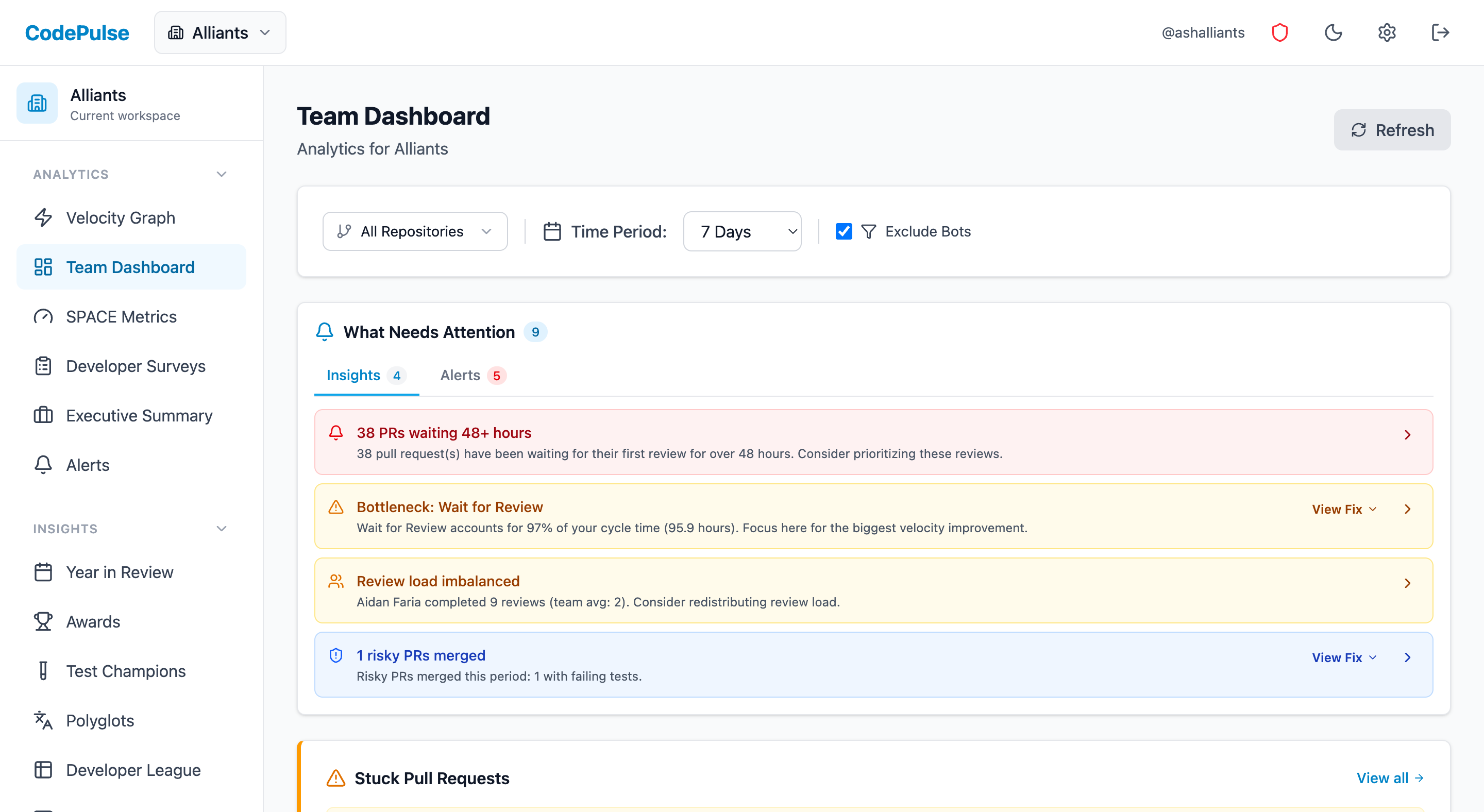
Evaluate CodePulse against your own delivery history
A comparison table only goes so far. Connect read-only GitHub in about five minutes and judge the output on your repositories, at one flat price, with no per-seat math.
Read-only GitHub · Your code stays yours · Team-level by default · No credit card
See These Features in Action
Explore all featuresRelated Guides
Cursor vs GitHub Copilot: Editor vs Extension (2026)
Cursor rebuilds the editor around AI; GitHub Copilot stays an extension for the editor you already use. A head-to-head on features, pricing, and fit.
GitHub Copilot Alternatives Compared (2026)
Cursor, Claude Code, Amazon Q Developer, Tabnine, and more - the AI coding assistants teams actually evaluate against GitHub Copilot, and what each trades off.
AI Coding Tools: What Actually Changed After 6 Months
Measure the real impact of AI coding tools like Copilot and Cursor on your engineering team. Data-driven framework using cycle time, code churn, and review metrics.
Claude Code Review Skill: Setup and Proof It Works
How to write a Claude Code review skill your team will actually use, with a working SKILL.md example - plus the four metrics that prove whether it improved your code review or just made approvals faster.
AI Code Review Tools: Which Actually Save Time (2026 Tests)
We tested 8 AI code review tools to see which caught real bugs, which added noise, and the metrics that prove whether they work for your team.