
Compare the finished analysis before you choose a platform
See the report CodePulse produces from read-only GitHub workflow data, or connect your own repositories and evaluate the fit with real evidence.
Read-only GitHub · Your code stays yours · Team-level by default · No credit card
GitHub Copilot has the largest install base of any AI coding assistant, but "largest" isn't the same as "right for every team." Some engineers want deeper agentic capability than Copilot's completion-first design offers. Some want to keep their editor and just swap the model behind it. Some need a deployment model Copilot doesn't support at all - fully self-hosted, or priced for a five-person startup instead of an enterprise. This guide breaks down the alternatives that come up most often in real evaluations, what each one is actually built for, and how to tell whether switching - or adding a second tool alongside Copilot - is worth the cost.
What are the best GitHub Copilot alternatives?
Cursor (a full AI-native editor built for deep, multi-file agentic edits), Claude Code (Anthropic's terminal-first agentic coding tool), Amazon Q Developer (AWS's assistant, formerly branded CodeWhisperer), Tabnine (privacy-focused, self-hostable), Continue.dev and Aider (open-source, free to self-host), and Supermaven (fast, completion-focused, lower-cost) are the alternatives most commonly evaluated against Copilot. None of them is a strict upgrade over Copilot in every dimension - each trades something (price, editor lock-in, GitHub-native depth, or deployment flexibility) for what it does better.
Almost every "best AI coding assistant" roundup treats this as a single ranking, which flattens real differences in what these tools are actually for. A completion engine, a full agentic IDE, and a self-hostable model wrapper are not competing on the same axis, even though they all get filed under "AI coding tools."
The right alternative to Copilot depends on which part of Copilot you're unhappy with - not on which tool has the loudest launch post.
What Should You Look for in a Copilot Alternative?
Before comparing specific tools, it helps to name what you're actually dissatisfied with. Teams usually look past Copilot for one of four reasons: they want deeper agentic, multi-file capability than Copilot's completion-first design provides; they want a lower price point, especially for smaller teams; they need a self-hosted or privacy-restricted deployment Copilot's cloud-only model doesn't offer; or they want to stay model-agnostic rather than locked into whichever models GitHub has integrated. Each alternative below answers a different one of those four reasons - none answers all of them at once.
How Do the Alternatives Compare?
| Tool | Best for | Starting price |
|---|---|---|
| Cursor | Deep agentic editing in a full AI-native editor (VS Code fork) | Free (Hobby); Pro $20/mo |
| Claude Code | Terminal-first, multi-file agentic tasks described in plain English | Bundled in a Claude plan, from $17/mo |
| Amazon Q Developer | Teams already deep in AWS; formerly branded CodeWhisperer | Free tier; Pro from $19/user/mo |
| Tabnine | Privacy-sensitive teams needing self-hosted/on-prem deployment | Paid, enterprise-oriented; check tabnine.com for current tiers |
| Continue.dev | Open-source, model-agnostic teams who want to bring their own model | Free to self-host; cost is whichever model API you connect |
| Aider | Terminal-based pair programming, open-source, minimal footprint | Free to self-host; cost is whichever model API you connect |
| Supermaven | Fast, low-friction completions on a lighter budget | Free tier; paid tier lower than Copilot Pro - check current pricing |
| Sourcegraph (enterprise) | Very large, security-conscious codebases; the successor to individual Cody | $59/user/mo, enterprise-only as of 2026 |
Two brand changes are worth flagging so you don't evaluate a name that no longer means what it used to. Sourcegraph discontinued its individual Cody plans in mid-2025 and pointed those users to Amp, a separate company spun off from Sourcegraph in December 2025 - Cody itself is now an enterprise-only product built for large codebases, not the mass-market assistant it once was. And Codeium's editor, Windsurf, was rebranded Devin Desktop in June 2026 after Cognition (maker of the Devin autonomous agent) acquired it following a collapsed OpenAI deal and a partial Google acquihire. If an older roundup still lists "Cody" or "Windsurf" as options, check whether it's describing the current product under its new name.
Which Alternative Fits Your Situation?
| Your Situation | Recommendation |
|---|---|
| Copilot feels shallow on large, multi-file changes | Claude Code or Cursor |
| You can't send code to a third-party cloud API | Tabnine (self-hosted) |
| Budget is tight and the team is comfortable self-hosting | Continue.dev or Aider |
| You're deep in the AWS ecosystem already | Amazon Q Developer |
| You want the fastest, lightest completions and not much else | Supermaven |
| You have a very large, security-sensitive codebase | Sourcegraph's enterprise product |
| GitHub-native workflows (Issues, PRs, review) still matter most | Stick with GitHub Copilot |
* Our Take
Most "GitHub Copilot alternatives" content is written by the alternative's own marketing team. Read the pricing page yourself before you believe any comparison table, including this one.
This category moves fast enough that a name can change meaning in a single year - Cody isn't the product it was in 2024, and Windsurf doesn't exist under that name anymore. Whatever you pick, pilot it with a small group first and look at real delivery data before and after, rather than trusting either the vendor's case study or a roundup's ranking.
Where Does CodePulse Fit?
CodePulse doesn't compete with any tool in this list - it measures what happened after your team adopted one, and the depth of that measurement depends on whether the vendor exposes a usage API. For GitHub Copilot and Claude Code specifically, both Anthropic and GitHub expose one, so CodePulse's AI ROI page imports real per-developer spend and seat data directly and computes cost-per-PR automatically - no survey needed for either tool. For the rest of the field, including Cursor, Amazon Q Developer, Tabnine, and the others in this guide, the AI Tools ROI feature covers all eleven supported tools through a self-reported adoption date and a before/after comparison on real delivery metrics.
One exception worth naming, since this guide is about replacing parts of Copilot: on code review specifically we do compete. CodePulse Reviews versus Copilot code review sets the two side by side on defect recall, precision and noise, scored against the same pull requests. It is our own benchmark rather than a third party's, and the page says so along with its limits - read it as our argument, not as a neutral verdict.
* How to See This in CodePulse
For Copilot and Claude Code, check AI ROI for the imported, no-survey view. For everything else, navigate to AI Tools ROI to record and compare adoption:
- Each developer records which tool they use and their adoption date - a one-time input, not an ongoing survey
- CodePulse compares that developer's real cycle time and PR patterns before and after
- For Copilot and Claude Code, pair it with the vendor-imported cost-per-PR and seat coverage on the AI ROI page for a fuller picture
Picking an AI coding tool is a five-minute decision compared to proving it was worth the renewal a year later.
For head-to-head depth on the two most commonly evaluated alternatives, see our Claude Code vs Copilot and Cursor vs Copilot comparisons. For the measurement question itself - not which tool, but whether any of them actually paid off - see our AI coding tools impact guide.
If you want to see your own before/after AI-tool comparison, start a free CodePulse trial. It reads directly from your GitHub activity, so there's real data to look at within minutes.
Frequently Asked Questions
There isn't a single winner - the honest answer depends on the shape of the work. GitHub Copilot has the broadest reach and deepest GitHub-native integration. Claude Code and Cursor's Composer/Agent mode lead on large, multi-file agentic tasks. Cursor as a whole editor gives the most unified AI-native experience if your team is willing to switch editors. Lighter, cheaper options like Continue.dev, Aider, and Supermaven fit teams that want AI assistance without a large per-seat bill. 'Best' without qualifying the task is a marketing claim, not an answer.
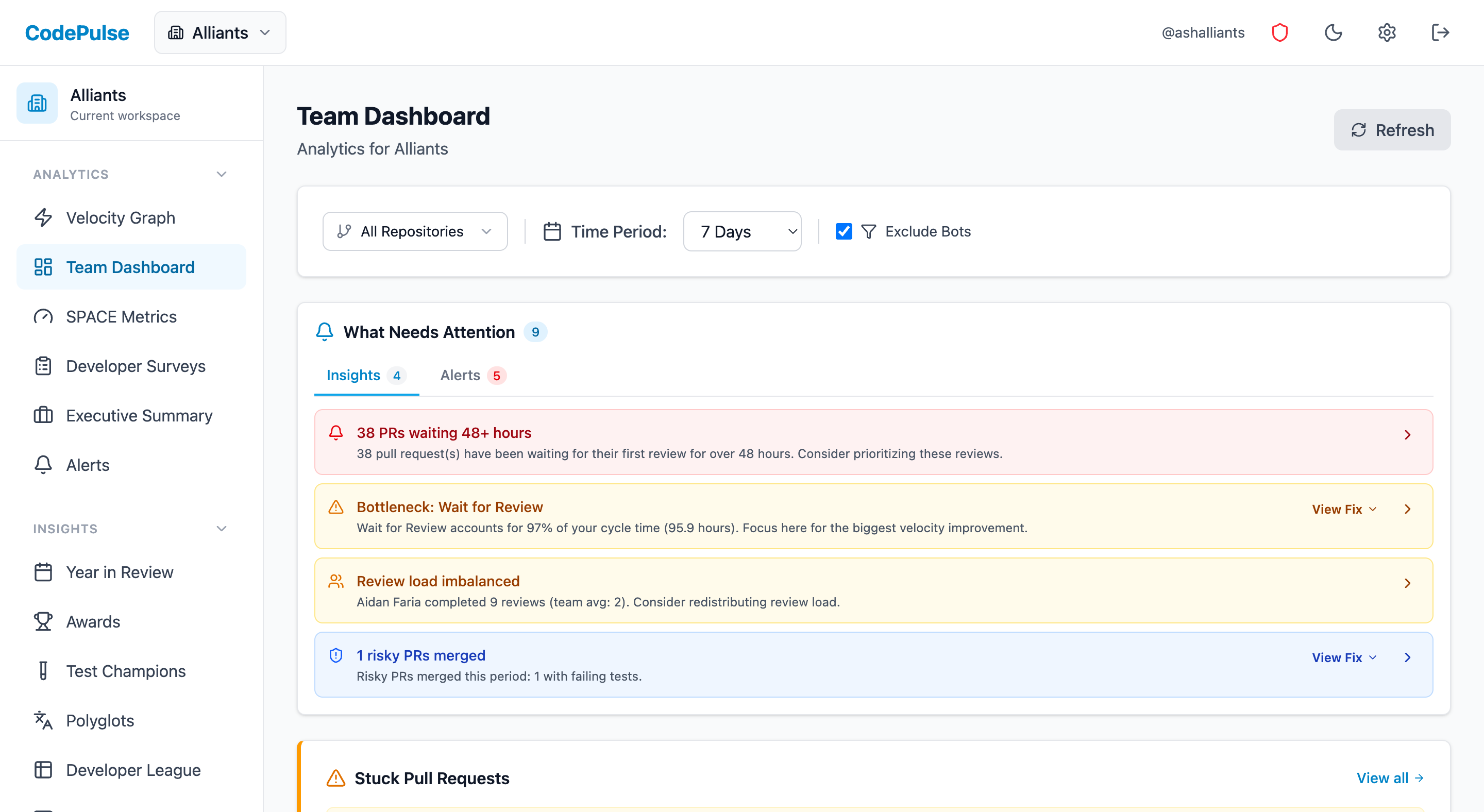
Evaluate CodePulse against your own delivery history
A comparison table only goes so far. Connect read-only GitHub in about five minutes and judge the output on your repositories, at one flat price, with no per-seat math.
Read-only GitHub · Your code stays yours · Team-level by default · No credit card
See These Features in Action
Explore all featuresRelated Guides
Claude Code vs GitHub Copilot: Which Fits? (2026)
Copilot CLI went GA in February 2026, so both tools now run a terminal agent. A head-to-head on what actually differs: model choice, AI Credits vs a Claude plan, GitHub depth, and surface spread.
Cursor vs GitHub Copilot: Editor vs Extension (2026)
Cursor rebuilds the editor around AI; GitHub Copilot stays an extension for the editor you already use. A head-to-head on features, pricing, and fit.
AI Coding Tools: What Actually Changed After 6 Months
Measure the real impact of AI coding tools like Copilot and Cursor on your engineering team. Data-driven framework using cycle time, code churn, and review metrics.
AI Code Review Tools: Which Actually Save Time (2026 Tests)
We tested 8 AI code review tools to see which caught real bugs, which added noise, and the metrics that prove whether they work for your team.