

Compare the finished analysis before you choose a platform
See the report CodePulse produces from read-only GitHub workflow data, or connect your own repositories and evaluate the fit with real evidence.
Read-only GitHub · Your code stays yours · Team-level by default · No credit card
Most Linear versus Jira comparisons are feature tables that conclude "it depends". This one starts from what actually drives the decision - daily friction, administrative load, and the part of the switch nobody budgets for - and then covers what your delivery data looks like afterwards, whichever you pick.
Linear or Jira: which should an engineering team choose?
Choose Linear when the team is engineering-led, the process is reasonably stable, and nobody wants to own tracker administration. Choose Jira when the configurability is doing real work - compliance workflows, portfolio rollups, cross-team dependencies - or when non-engineering functions live in it too. Linear publishes flat pricing ($10 and $16 per user per month, billed yearly); Atlassian prices Jira on a sliding scale by seat count with no flat published rate. The decision matters less for delivery visibility than teams assume, because the timestamps that explain a slow cycle time sit in Git rather than in either tracker.
What Is the Difference Between Linear and Jira?
The honest summary is that they are not competing on features. They are competing on how much of your process you want to encode in software.
Jira is a configuration platform. Custom issue types, per-project workflows, screen schemes, permission schemes, and a large marketplace to fill any remaining gap. That flexibility is genuine, and it is why Jira survives in organizations whose process is unusual or regulated. It also has a cost that shows up as administration: someone maintains the schemes, and the board slowly accretes fields that made sense once.
Linear takes the opposite position. The structure is largely fixed, the defaults are strong, and the product is engineered around interaction speed. You configure less because there is less to configure. When the shape of your process matches its assumptions, that is a feature. When it does not, there is no scheme editor to escape into.
"Teams don't leave Jira because it lacks features. They leave because their engineers stopped opening it."
That is the failure mode worth watching for, and it is behavioural rather than technical. When engineers start tracking real work in Slack threads and personal notes and treat the tracker as a reporting chore performed on Fridays, the tool has already lost, and no amount of additional configuration recovers it.
What Do Linear and Jira Actually Cost?
The two vendors price differently enough that a single side-by-side number would mislead.
| Tier | Linear | Jira |
|---|---|---|
| Free | $0, capped at 250 issues and 2 teams, unlimited members | Up to 10 users |
| Entry paid | Basic, $10 per user/month, billed yearly | Standard, tiered by seat count |
| Higher tier | Business, $16 per user/month, billed yearly | Premium, tiered by seat count |
| Enterprise | Custom, annual billing only | Custom |
Linear figures are from Linear's pricing page. Atlassian publishes no flat per-user rate for Standard or Premium - pricing is tiered with discounts as seat count grows, so use their calculator for your headcount. Verify both before budgeting.
Two practical notes. Linear has no monthly billing option on its public pricing page, so the advertised rates assume an annual commitment. And Linear's free tier is bounded by issue count rather than user count, which is a meaningfully different constraint: an active team with unlimited members still hits 250 non-archived issues quickly, so treat it as an evaluation period rather than a tier you operate on.
Which One Fits Your Team Size?
Team size is a proxy for the thing that actually decides it: whether anyone is paid to administer the tracker, and whether functions outside engineering need to live in it.
| Situation | Leans | Why |
|---|---|---|
| Engineering-led, stable process, no admin owner | Linear | The administration Jira asks for has nowhere to go |
| Support, sales or compliance also track work here | Jira | Non-engineering workflows are what the configurability is for |
| Regulated environment with audit requirements | Jira | Workflow enforcement and permission schemes do real work |
| Many teams with cross-team dependencies and portfolio rollups | Jira | Hierarchy and rollup reporting are the harder thing to replace |
| Engineers are avoiding the tracker entirely | Linear | Adoption is the binding constraint, and friction is the cause |
🔥 Our Take
Pick the tracker for daily friction, not for reporting. If you are choosing between them on the strength of their dashboards, you are optimizing the wrong layer.
Both products report on what people remembered to record: whether a ticket was moved, when somebody dragged it across a board. Neither knows when the branch was actually cut, how long the pull request waited for a reviewer, or which file the change kept returning to. That evidence is in version control either way, which is why the tracker decision should be made on whether engineers will actually use the thing - and the delivery measurement handled separately.
What Does Switching Actually Cost You?
Migration guides tend to measure the move in engineer-days. The larger cost is what does not come across, and it is worth writing down before committing. We call it the switching ledger.
"Migration moves your issues. It does not move your reporting history, and that's the cost nobody budgets for."
The middle column is the one that surprises people. Six months after a switch, somebody asks whether delivery has improved, and the answer has to start at the cutover date because everything before it lives in a system nobody logs into. If you are going to switch, capture a baseline first from a source that does not move.
What Can You Measure Once Either Is Connected?
This is where most comparisons stop being useful, because both vendors will show you a burndown chart and call it delivery insight. It is worth being precise about which questions an issue tracker can answer and which it structurally cannot.
A tracker knows when someone moved a ticket. It does not know when the branch was cut, how long the pull request sat unreviewed, or whether the change had to be reworked twice. Those timestamps are in version control, and they are the same before and after a tracker migration.
"Your tracker records what people remembered to write down. Your Git history records what actually happened."
The genuinely useful thing a tracker adds is the phase in front of the code: how long an idea waited before anyone started it. Join the two and you get the whole span from request to release, rather than the portion that happens to be visible in whichever system you are looking at.
📊How CodePulse Reads Linear and Jira
Both trackers connect the same way, through OAuth on the Integrations page, and both feed the same views:
- Planning phase - how long an issue waited before code started, shown alongside Coding, Waiting, Review and Merge on Issue Lead Time
- Issue-to-merge lead time - the full span from issue created to pull request merged
- Time in status - how long issues sit in each workflow state, synced from both Linear and Jira for issues that have linked pull requests
- Link coverage - the share of merged pull requests that resolved to an issue, on Investment. Treat it as a data-quality reading first: every issue-derived number is only as good as this percentage
- Work type - feature, maintenance, tech debt, bug fix, infrastructure or support, derived from issue labels and type when a pull request carries no label of its own
One mechanical detail decides whether any of that works, and it is the same for both trackers: issues are matched to pull requests by scanning the branch name and the pull request title for an issue key such as ENG-412. Commit messages and pull request descriptions are not scanned. A team whose branches are named fix-the-thing will see low link coverage no matter which tracker it pays for, so if you want the planning phase, put the key in the branch name.
How Should You Decide?
Three questions settle it faster than any feature matrix:
- Is anyone actually administering the tracker? If no one owns schemes, workflows and fields, Jira's flexibility becomes unmanaged drift rather than an advantage.
- Does anyone outside engineering need to live in it? The moment support, legal or finance have workflows here, the configurability stops being overhead and starts being the requirement.
- Are engineers avoiding the current tool? Adoption beats capability. A tracker that people route around produces worse data than a simpler one they actually use.
If you switch, take a delivery baseline before the cutover so the improvement is provable afterwards. Pull it from version control rather than the tracker, since that is the only record that survives the move intact. Our cycle time breakdown guide covers what to capture, and progress tracking without a tracker covers the reporting you can do during the gap when the new system has no history yet.
For the other common version of this decision, where the choice is between a tracker and the suite it came in, see our Azure DevOps vs Jira comparison.
Frequently Asked Questions
Linear is an opinionated issue tracker built for speed, with a fixed structure and a small set of integrations. Jira is a configurable platform that can be shaped to almost any process, backed by a large marketplace. The trade is the same one in both directions: Linear gives you less to configure and less to maintain, Jira gives you more control and more administration.
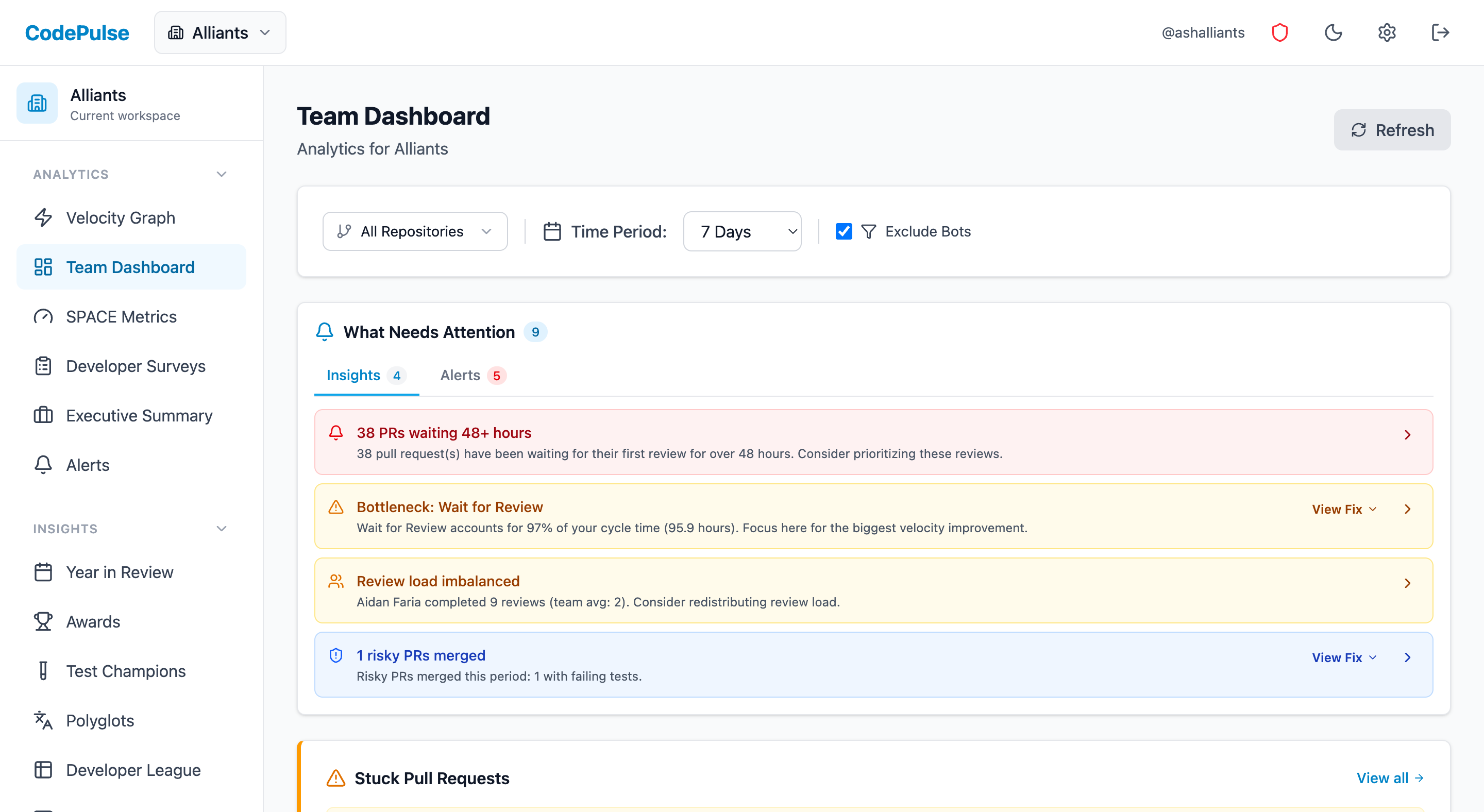
Evaluate CodePulse against your own delivery history
A comparison table only goes so far. Connect read-only GitHub in about five minutes and judge the output on your repositories, at one flat price, with no per-seat math.
Read-only GitHub · Your code stays yours · Team-level by default · No credit card
See These Features in Action
Break down cycle time into coding, waiting, review, and merge phases.
Board-ready engineering performance in a single page.
Related Guides
Azure DevOps vs Jira: Which Wins for Dev Teams?
Azure DevOps and Jira are the dominant project management platforms for engineering teams. Compare work item tracking, agile support, reporting, integrations, and pricing.
How to Link GitHub Pull Requests to Jira Issues
Put the Jira key in the branch name or PR title and the link happens automatically. The conventions that work, the one that silently fails, and what the joined data shows.
No Jira Access? Here's What Your Git Data Already Knows
Track and report engineering progress using pull request data when you don't have access to project management tools.
The 4-Minute Diagnosis That Reveals Why Your PRs Are Stuck
Learn to diagnose exactly where your PRs are getting stuck by understanding the 4 components of cycle time and how to improve each one.
Jellyfish vs LinearB vs Swarmia: Full 2026 Comparison
Compare Jellyfish, LinearB, Swarmia, Allstacks, Haystack and more engineering analytics tools. Features, pricing, cycle time benchmarks, and integrations.