
Turn this metric into a baseline for your team
Preview a system-level engineering health report, then connect GitHub when you are ready to compare this metric with your own delivery history.
Read-only GitHub · Your code stays yours · Team-level by default · No credit card
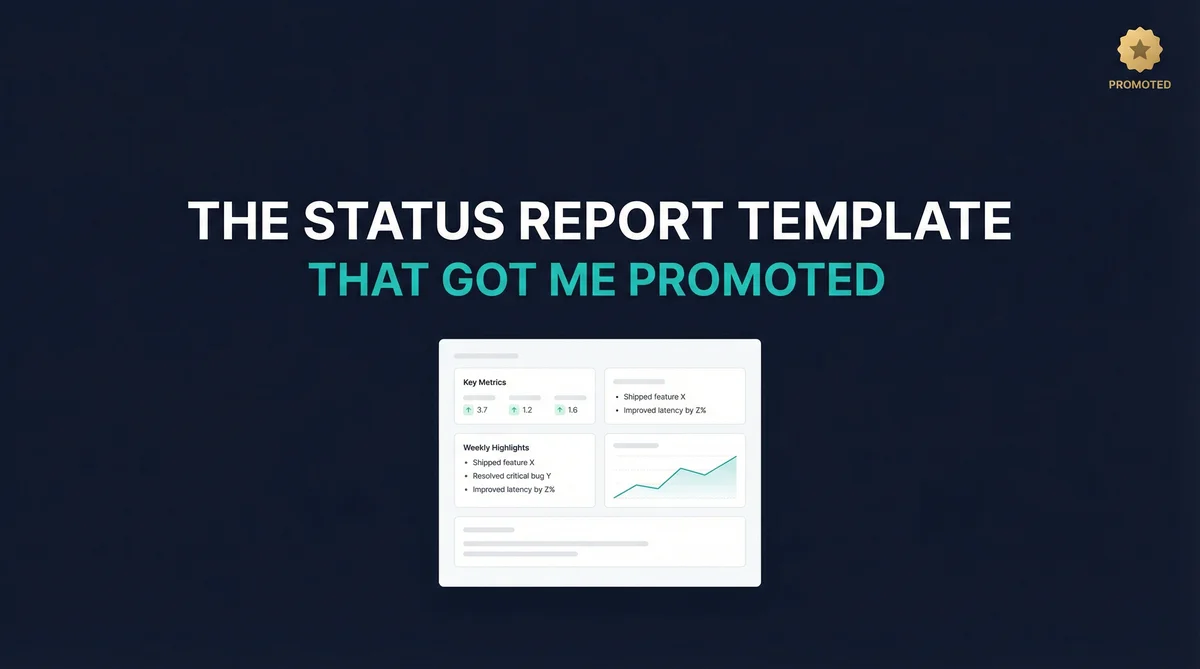
The weekly engineering status report is one of the most important communication tools for engineering leaders. Done well, it builds trust with stakeholders, aligns expectations, and showcases your team's impact. Done poorly, it becomes busywork that nobody reads.
What should a weekly engineering status report include?
A good weekly engineering status report has four sections: what shipped this week (merged PRs and deployments), what is in progress (open PRs and active work), blockers and risks (stuck PRs, SLA breaches, rising cycle time), and key metrics (cycle time trend, deployment frequency, review coverage). Keep it under one page. Use data from your Git workflow rather than manual status updates. CodePulse can auto-generate most of this from your GitHub data.
This guide provides a practical template and framework for creating engineering status reports that executives actually want to read.
🔥 Our Take
Most status reports are theater. They should take 5 minutes to write and 2 minutes to read.
If you're spending an hour compiling your weekly update, something is broken. The metrics section should be fully automated - pulled directly from your engineering analytics platform. Your only job is adding context: what does this data mean, and what should stakeholders care about? If you're manually counting PRs merged or deployments, you're doing it wrong.
Why do engineering status reports matter?
Before diving into templates, it's worth understanding why status reports exist. They serve several critical functions:
Building Trust Through Transparency
Engineering is often a black box to non-technical stakeholders. They see features ship (or not ship) but can't see the work happening in between. Regular status reports create visibility that builds trust over time. For more on tackling this visibility challenge, see our guide on engineering visibility.
Managing Expectations
Surprises erode confidence. A status report that flags a risk early - "We've hit a technical blocker that may delay Feature X by one week" - is far better than a last-minute announcement that a deadline was missed.
"The best status report is the one that prevents a meeting. If executives have to schedule time to ask 'what's the status?', your report isn't working."
Documenting Progress
Status reports create a record of what your team accomplished. This is invaluable for performance reviews, headcount justification, and simply remembering what happened six months ago.
Forcing Reflection
Writing a weekly summary forces you to step back and assess: What did we actually accomplish? What's blocking us? Are we on track? This reflection often surfaces insights that get lost in day-to-day execution.
Free Download: Weekly Status Report Template (Interactive) | PDF - A fillable template with all essential sections pre-formatted for executives.
What should you include in a status report?
The Essential Sections
1. Executive Summary (2-3 sentences)
Lead with the most important information. Assume your reader will only read this section - what do they need to know? Example:
"Strong delivery week. Shipped user authentication redesign (2 weeks ahead of schedule). Payment integration on track for end of month. No blockers."
2. Key Metrics
3-5 numbers that indicate engineering health. Keep these consistent week to week so readers can spot trends. For guidance on which metrics matter most, see our Engineering Metrics Dashboard Guide:
- PRs merged this week
- Deployment frequency
- Average PR cycle time
- Incidents/bugs opened vs closed
- Sprint completion percentage
3. What Shipped
List completed work with brief context on why it matters. Focus on outcomes, not activities:
- User authentication redesign (reduces login friction by 40%)
- API rate limiting (prevents abuse, enables enterprise tier)
- Dashboard performance fix (page load improved from 4s to 1.2s)
4. In Progress
Major items actively being worked on. Include expected completion:
- Payment integration (70% complete, targeting Oct 30)
- Mobile app v2 (design review this week, dev starts next week)
5. Risks & Blockers
Be proactive about surfacing issues. Include what you're doing about them:
- Risk: Third-party API migration timeline unclear. Mitigation: Scheduling call with vendor this week.
- Blocker: Waiting on legal review for new ToS. Action: Following up with legal team daily.
What should you leave out?
Knowing what to leave out is just as important as knowing what to include. Overstuffed reports dilute the signal and train readers to skim (or skip) your updates entirely.
Individual Task Lists
"John worked on PR #1234, Sarah fixed bug #5678" isn't useful to stakeholders. They don't care about the granular tasks - they care about outcomes. If you need to track individual contributions, that belongs in your team's internal notes, not executive communications.
Technical Implementation Details
"Migrated from PostgreSQL 12 to 14 with zero-downtime rolling deployment using pglogical" tells your CEO nothing. Instead: "Upgraded database infrastructure - no customer impact, enables 3x better performance for enterprise customers."
Raw Metrics Without Context
"We merged 47 PRs this week" is meaningless on its own. Is that good? Bad? Compared to what? Always provide comparison (vs. last week, vs. target) and interpretation (why it matters, what we're doing about it).
"A metric without context is just a number. A number without a story is just noise."
Everything That Happened
Resist the completionist urge. Your report should be curated, not exhaustive. A 3-page status update won't get read. Ruthlessly edit down to what actually matters.
Excuses and Defensive Language
"We would have shipped but..." or "Despite delays caused by..." signals insecurity. If something went wrong, acknowledge it briefly and focus on the path forward. Executives respect accountability, not explanations.
Vanity Metrics
Lines of code, commit count, story points completed - these are easy to game and don't correlate with business value. Focus on outcomes (features shipped, incidents resolved, performance improved) rather than activity proxies.
What does a complete status report template look like?
Here's a complete template you can copy and adapt. The key is keeping it scannable while including all the information stakeholders need:
================================================================
        ENGINEERING WEEKLY STATUS REPORT
        Week of [DATE]
================================================================

TL;DR
----------------------------------------------------------------
[2-3 sentences. Lead with the headline. Good news or bad news,
put it here. Assume this is all anyone reads.]

Example: "Strong week. Payment v2 shipped Tuesday, unblocking
$1.2M enterprise deal. Cycle time hit all-time low at 1.6 days.
One risk: third-party auth provider has 2-day outage ETA."


KEY METRICS (vs. last week)
----------------------------------------------------------------
Metric              This Week    Last Week    Target    Trend
----------------------------------------------------------------
PRs Merged          38           31           30+       [+]
Avg Cycle Time      1.6 days     2.0 days     <2 days   [+]
Deploy Frequency    14           11           10+       [+]
Open Incidents      2            4            <5        [+]
Sprint Completion   92%          88%          85%+      [+]
----------------------------------------------------------------
[+] = improving/on-target  [-] = declining  [!] = needs attention


SHIPPED THIS WEEK
----------------------------------------------------------------
[x] Payment v2 integration
    Impact: Enables enterprise billing, unblocks $1.2M deal
    Owner: Payments Team

[x] Dashboard performance optimization
    Impact: Load time 4.2s -> 1.1s (74% improvement)
    Owner: Platform Team

[x] User onboarding flow redesign
    Impact: Expected 15% improvement in activation rate
    Owner: Growth Team


IN PROGRESS
----------------------------------------------------------------
[ ] Mobile app v2.0                      [=====>    ] 60%
    Target: Nov 15 | Status: On Track
    Next: Beta release to internal users Friday

[ ] API v3 migration                     [===>      ] 35%
    Target: Nov 30 | Status: At Risk (see blockers)
    Next: Finalizing backward compatibility layer

[ ] Infrastructure cost optimization     [======>   ] 70%
    Target: Oct 31 | Status: On Track
    Next: Rolling out to production Monday


RISKS & BLOCKERS
----------------------------------------------------------------
[RISK] Third-party auth provider outage
  Impact: May delay SSO feature by 2-3 days
  Mitigation: Implementing fallback, vendor says ETA 2 days
  Owner: Sarah K.
  Status: Monitoring

[BLOCKER] Legal review for data export feature
  Impact: Blocking GDPR compliance release
  Action: Escalated to VP Legal, meeting scheduled Wed
  Owner: Engineering Manager
  Status: Escalated


TEAM UPDATES
----------------------------------------------------------------
- Welcomed [Name] as Senior Engineer on Platform team
- [Name] transitioning to Tech Lead role for Mobile
- Hiring update: 3 interviews scheduled for Staff Engineer role


NEXT WEEK FOCUS
----------------------------------------------------------------
1. Complete Mobile v2 beta release
2. Resolve auth provider dependency
3. Infrastructure rollout (projected 18% cost savings)


DECISIONS NEEDED
----------------------------------------------------------------
- [ ] Approve scope reduction for Q4 initiative (by Friday)
- [ ] Headcount allocation for H1 planning (by Nov 1)

================================================================
Template Tips
- Keep it scannable: Use headers, bullets, and tables. Walls of text don't get read.
- Be consistent: Same format every week makes it easy to compare.
- Send at the same time: Build a habit. Friday afternoon or Monday morning works well.
- Keep it under 1 page: If it's longer, you're including too much detail.
How do you adapt reports for different audiences?
Different audiences need different reports. A one-size-fits-all approach wastes everyone's time. Here's how to adapt your template for each stakeholder group:
For Your CEO or Board
Focus on: Business impact, resource utilization, major milestones, risks to company objectives.
Format: 3-5 sentences maximum. They don't have time for details. For quarterly board meetings, see our Board-Ready Engineering Metrics Guide.
Engineering Update - October Week 3
Major milestone achieved: Launched payment integration ahead of schedule, enabling $2M ARR enterprise deal to close this month. Team velocity is up 20% QoQ with stable headcount. One risk to flag: third-party dependency may delay mobile launch by one week - working on mitigation.
For Your Product Counterpart
Focus on: Feature progress, timeline changes, technical constraints affecting roadmap, decisions needed from product.
Format: More detail on specific features, clear calls to action.
This Week
- Shipped: User auth redesign, API rate limiting
- Payment integration: 70% complete, on track for Oct 30
- Risk: Third-party dependency may delay notification feature by 1 week - investigating alternatives
Need from Product
- Decision on mobile v2 scope by Wednesday
- Priority call on Feature A vs Feature B for November
For Your Engineering Team
Focus on: Team wins, learning, recognition, upcoming focus areas, process changes.
Format: More casual, celebratory tone. Recognize contributions and reinforce culture.
Team Wins This Week
- Auth redesign shipped 2 weeks early - huge effort from the Platform squad!
- Fixed long-standing dashboard performance issue (thanks Sarah!)
- Cycle time hit all-time low: 1.6 days
Focus for Next Week
- Finish payment integration - all hands on deck
- Tech debt Friday: tackling the test coverage gaps in billing module
Shoutouts
- @mike for the elegant solution to the race condition bug
- @lisa for mentoring the new hires through onboarding
For Cross-Functional Stakeholders (Sales, Support, Marketing)
Focus on: What they can tell customers, what's changing that affects their work, timeline updates for features they're waiting on.
Format: Very short, action-oriented, minimal technical detail.
What's New for Customers
- New payment options now live - can mention to enterprise prospects
- Dashboard 4x faster - good response for performance complaints
Coming Soon
- Mobile app v2: November 15 (beta available for demos Nov 1)
Known Issues
- SSO login intermittent - vendor issue, ETA 2 days. Workaround: use email login.
Pro Tip: Write Once, Distribute Many
Write a detailed internal report first, then create shorter summaries for each audience. This ensures consistency while respecting everyone's time.
How do you automate status reports?
Much of the data in status reports can be automated. Here's how to reduce the manual effort from hours to minutes:
What Should Be Fully Automated
These metrics should come directly from your tools with zero manual effort:
- PRs merged, cycle time, deployment frequency: Available from GitHub or your engineering analytics platform. See our guide on DORA metrics for more on tracking these effectively.
- Sprint completion: Available from Jira, Linear, or your project management tool
- Incidents: Available from PagerDuty, OpsGenie, or your incident management system
- Week-over-week trends: Auto-calculated from historical data
Automation Setup Checklist
Status Report Automation Checklist
Data Sources to Connect
- GitHub/GitLab (PRs, deployments, code metrics)
- Project management (Jira, Linear, Asana)
- Incident management (PagerDuty, OpsGenie)
- CI/CD pipeline (GitHub Actions, CircleCI, Jenkins)
Scheduled Reports to Set Up
- Weekly metrics digest (auto-send Friday 3pm)
- Sprint summary (auto-generate at sprint close)
- Incident summary (auto-generate on resolution)
Templates to Create
- Executive summary template (fill in 2-3 blanks)
- Team update template (auto-populated metrics)
- Cross-functional update template
Time Savings Target
- Before automation: 2-3 hours/week on status reports
- After automation: 15-20 minutes/week (just adding context)
"If you're manually calculating metrics for your status report, you're not doing status reporting - you're doing data entry. Automate the numbers, focus on the narrative."
What Still Needs Human Input
Some sections require human judgment and can't (and shouldn't) be automated:
- Executive summary: Requires synthesizing what matters most and choosing what to highlight
- Risks and blockers: Requires understanding context, severity, and organizational dynamics
- What shipped (with impact): Requires framing work in terms of business value
- Decisions needed: Requires judgment about what to escalate
The 80/20 Approach
Aim to automate 80% of data gathering so you can spend your time on the 20% that requires thought: context, synthesis, and communication. If you're spending more than 20 minutes on your weekly status report, something is wrong with your tooling or process.
What are the most common status report mistakes?
Even experienced engineering leaders fall into these traps. Here's what to avoid:
Mistake 1: The Novel
Writing a 3-page status update that nobody reads. If it takes more than 2 minutes to read, it's too long. Executives will skim or skip it entirely.
Fix: Use the "above the fold" principle from journalism. Put the most important information first. Assume readers will only see the first paragraph.
Mistake 2: The Activity Log
Listing every task completed without connecting to outcomes. "Reviewed 12 PRs, attended 8 meetings, fixed 15 bugs" tells stakeholders nothing about impact.
Fix: Translate activity into outcomes. Instead of "fixed 15 bugs," say "resolved customer-reported issues - support tickets down 40% this week."
Mistake 3: All Sunshine, No Rain
Only reporting good news erodes trust. If your reports never mention risks or problems, stakeholders will stop believing them - and start micromanaging.
Fix: Include risks and blockers every week, even small ones. It demonstrates awareness and builds credibility for when you do report that everything is on track.
Mistake 4: Inconsistent Format
Changing the structure every week makes it impossible for readers to quickly find what they need or spot trends over time.
Fix: Use the same template every week. Same sections, same order, same metrics. Consistency builds scanning habits.
Mistake 5: Sending at Random Times
If your status report arrives at unpredictable times, it gets lost in the noise. Readers don't build the habit of looking for it.
Fix: Send at the same time every week, without fail. Friday afternoon or Monday morning are both good choices - pick one and stick to it.
What tips work best for engineering managers?
As an engineering manager, your status report serves double duty: communicating upward to executives and modeling transparency for your team. For a deeper dive into the engineering manager role, see our Engineering Manager Guide.
Build the Habit Early
Start sending status reports even before anyone asks for them. It demonstrates proactive communication and establishes you as a leader who keeps stakeholders informed without being prompted.
Use Reports to Surface Issues
A well-crafted risk section in your status report can be more effective than scheduling a meeting to discuss a problem. It gives executives time to process the information and come to discussions prepared.
Celebrate Your Team Publicly
Status reports that reach executives are a great opportunity to highlight individual contributions. "Thanks to Sarah's work on the caching layer, we improved performance by 4x" puts your team members on leadership's radar.
Keep a Running Log
Don't try to remember everything on Friday afternoon. Keep a running document throughout the week where you jot down accomplishments, blockers, and insights as they happen. Friday becomes a 10-minute editing job instead of an hour of archaeology.
Ask for Feedback
Periodically ask your stakeholders: "Is this status report format working for you? What would you add or remove?" Their answers might surprise you - and make your report more valuable.
What resources help with engineering reporting?
For more guidance on engineering metrics and communication, check out these related guides:
- Engineering Metrics Dashboard Guide - Deep dive into which metrics to track and how to present them
- Board-Ready Engineering Metrics - How to present engineering data to executives and board members
- Engineering Manager Guide - Comprehensive guide to the engineering management role
- DORA Metrics Guide - Understanding and implementing the industry-standard delivery metrics
Frequently Asked Questions
Four sections: what shipped (merged PRs and deployments with business impact), what is in progress (open work with expected completion), blockers and risks (stuck PRs, SLA breaches, rising cycle time), and key metrics (cycle time trend, deployment frequency, review coverage). Keep it under one page.

Now measure this metric on your own repositories
Connect read-only GitHub in about five minutes and get your baseline, your trend, and the constraint behind it. Your fourteen usable trial days start when the first repository finishes syncing.
Read-only GitHub · Your code stays yours · Team-level by default · No credit card
See These Features in Action
Explore all featuresRelated Guides
Engineering Metrics Dashboard: The 7 Metrics You Need
Skip vanity metrics. Here are the 7 engineering metrics VPs actually need to track team performance, delivery, and quality.
I Got $2M in Budget With These 5 Engineering Metrics
Learn how to create engineering metrics presentations that resonate with board members, investors, and C-suite executives.
The EM Dashboard That Won't Get You Reported to HR
With 83% of developers suffering from burnout and a 12-point perception gap between engineers and executives, EMs need metrics that reveal team health - not just delivery. Here is what to track, what to ignore, and how to use data without destroying trust.
DORA Metrics Explained: The 4 Keys Without the Hype
A complete breakdown of the four DORA metrics - deployment frequency, lead time, change failure rate, and MTTR - with honest benchmarks and gaming traps to avoid.
Your Engineering Metrics Are Lying to You
Learn how engineering analytics tools ensure data accuracy through bot filtering, file exclusions, and reliable sync mechanisms.
Why the 70/30 Rule Is Killing Your Engineering Team
Find the right balance between shipping new features and maintaining existing code using engineering metrics and data-driven strategies.